Reducing Support Tickets Caused by 'I Didn't Get the Code'
Kieran Goodary
Why do users often say "I didn't get the code"?
If you work on any product involving email verification, password resets, or one-time-passwords (OTPs), you’ve probably seen this support ticket come up again and again: "I didn’t get the code." It’s frustrating for users and for support teams alike.
But why does this happen so frequently? Email delivery isn’t magic; it’s a fragile chain involving multiple systems, from your SMTP server to email providers’ spam filters. User issues can be as basic as mistyped email addresses, full inboxes, or checking the wrong email account.
On the product side, brittle verification code extraction, inconsistent resend flows, or slow email delivery add fuel to the fire. Combine that with shared inboxes or test accounts cluttered with old emails, and troubleshooting becomes a nightmare.
Understanding these root causes is the first step toward reducing angry tickets and keeping your users happily verified.
How can disposable or burnable email inboxes reduce "code not received" complaints?
Disposable inboxes, aka burnable inboxes, are temporary email addresses that automatically receive emails and often provide APIs for programmatic access. You might wonder-how does a throwaway email help solve "I didn’t get the code" support tickets?
Here’s the catch: these inboxes are typically used on the testing and development side, not by end users (though disposable emails can also serve privacy-conscious users).
For developers and QA teams, disposable inboxes mean they can repeatedly sign up or test authentication flows without clogging a single shared inbox or dealing with stale emails. This drastically improves test reliability and catch issues earlier.
For product teams, integrating burnable inbox capabilities into CI/CD pipelines and end-to-end (E2E) tests means the "code did not arrive" scenario is simulated and debugged continuously.
And since these inboxes often provide clean APIs for OTP extraction, they avoid brittle regex scripts that break on slight email format changes, ensuring verification logic stays robust.
What common problems with email verification flows cause users not to get codes?
A few classic culprits lead to this user experience:
- Email delivery delays or failures: SMTP issues, spam filtering, or email provider policies can delay or block emails.
- Incorrect or misspelled email addresses: Users sometimes enter wrong emails, causing emails to go nowhere.
- Spam or Promotions folders: Verification emails land in unexpected folders, so users don’t see them immediately.
- Brittle client-side OTP extraction: Apps trying to auto-read OTPs from emails but breaking when email formatting changes.
- Resend flow confusion: Users press "resend code" multiple times, leading to multiple codes sent, causing mix-ups.
Improving these areas reduces the "where is my code?" chorus.
How can engineering teams make email verification more reliable and less error-prone?
First, don’t rely on manual or semi-automatic testing with a single shared Gmail account. Use disposable inboxes with robust APIs to test typical user paths, including code sending, receipt, and submission.
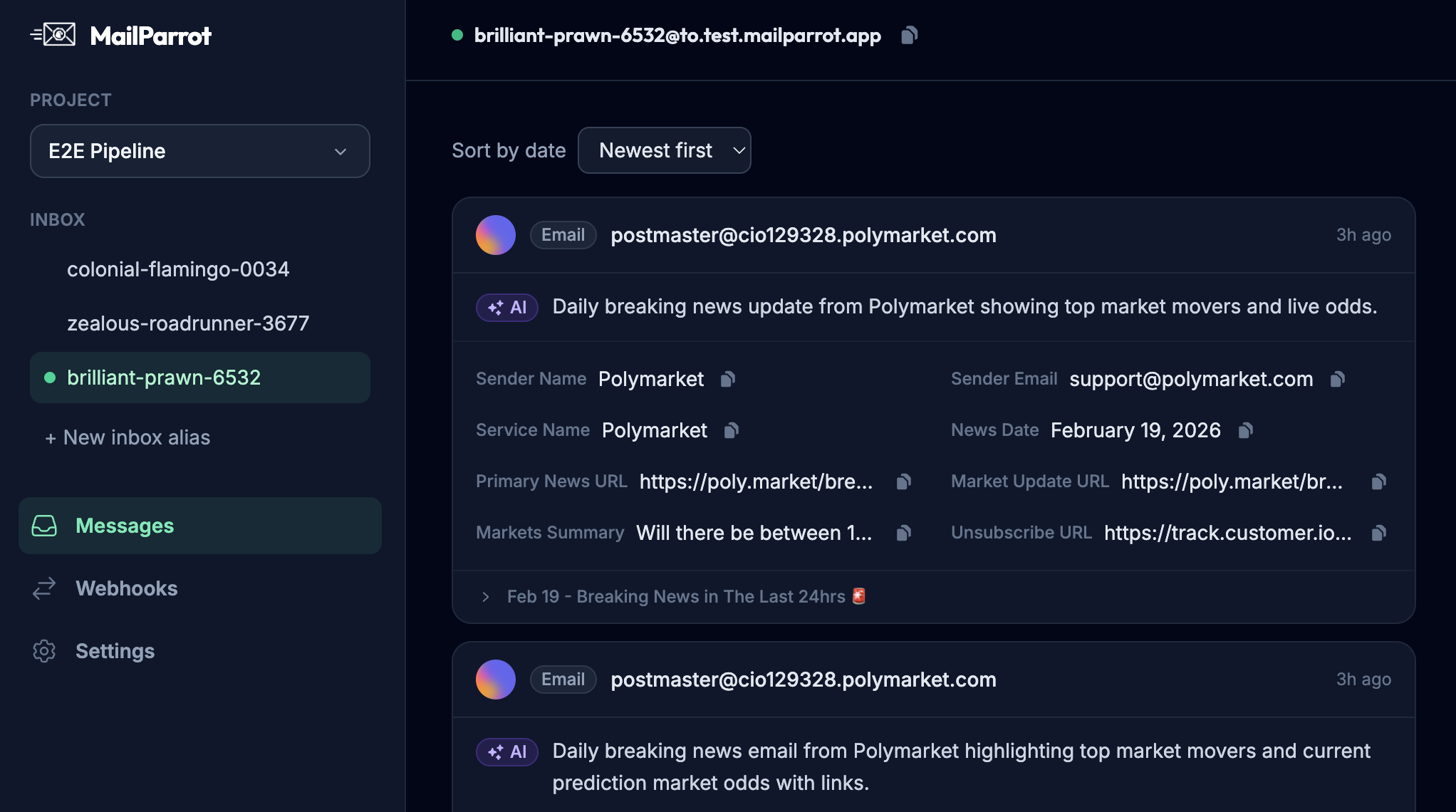
Second, automate OTP extraction with well-maintained tooling or services instead of fragile regex. MailParrot, for instance, offers reliable OTP parsing that adapts to diverse email formats.
Third, implement observable logging and dashboards around email delivery rates and response times. Catch issues upstream rather than via support tickets.
Fourth, in your UI, provide clear messaging about checking spam folders, verifying the correctness of email addresses, and troubleshooting tips.
Fifth, consider features like magic links or passwordless auth as alternatives to codes.
Why is relying on a single shared Gmail account for testing bad?
Plenty of engineering teams resort to a shared Gmail inbox to test email flows. It seems straightforward, but this approach introduces many problems:
- Email clutter: Over time the inbox fills with stale emails, making test emails hard to spot and confusing.
- Concurrency issues: Multiple QA or devs testing at once may get emails mixed up.
- Brittle handling: Parsing OTPs with brittle regex tailored for one email format leads to false negatives when formats change.
- Manual intervention: Checking inboxes manually breaks test automation.
By contrast, disposable inbox APIs are designed for programmatic access, support concurrency naturally, and reduce false positives and negatives during test runs.
How can product teams better educate users to avoid "I didn’t get the code" frustration?
Even with perfect engineering, some users will still claim they didn’t get codes. Here are ways to manage expectations and improve UX:
- Clear, upfront instructions: Tell users to check spam/promotions or even other email folders.
- Email confirmation screen: After sign-up, show a page confirming you sent a code to the email they provided.
- Help links: If the user hasn’t received the code, provide a prominent "resend code" button and explain any limits.
- Input validation: Use real-time email format validation and domain checks to reduce typos.
- Alternative verification options: Provide secondary options like SMS or authenticator apps if possible.
These interventions don’t eliminate all issues but reduce confusion and cut down on support volume.
What role do webhooks and APIs play in making email verification flows smoother?
Webhooks and APIs unlock programmatic, event-driven verification email handling. Instead of waiting blindly or manually polling for code arrival, your backend can receive instant notifications when verification emails are received or opened.
This immediacy helps automate steps:
- Automatically parsing and verifying OTPs
- Triggering retries or follow-ups if emails fail to deliver
- Tracking delivery metrics and diagnosing failures in near real-time
This reduces the guesswork and increases confidence that the user received the code-and if not, you can act swiftly.
How does OTP extraction with disposable inbox API beat regex scripts?
Parsing OTPs out of emails is deceptively tricky because email formats vary wildly across providers, locales, and even marketing campaigns. Regex patterns can easily miss or misinterpret codes if the format shifts slightly.
Disposable inbox APIs designed for OTP extraction do more than pattern matching:
- They understand common OTP email templates and can adjust dynamically
- Some use ML-powered heuristics to detect codes even in noisy email content
- They return parsed codes reliably so your tests or app logic don’t fail unnecessarily
This robustness dramatically improves test coverage and reduces false negatives in verification flows.
How can continuous integration (CI) pipelines benefit from using disposable inboxes?
When you integrate email-based verification into your product, every deployed build needs to prove it doesn’t break the sign-up or login flow.
But running manual tests or relying on random inboxes is error-prone and slow. Disposable inboxes accessed via API can be part of your CI pipeline:
- Each test creates a fresh inbox
- The app sends the verification code
- The test fetches the code programmatically via API
- The code is submitted automatically to verify success or failure
This hands-off testing ensures your authentication flows stay green across builds, catching regressions early and avoiding potential user disruptions.
What are some pitfalls to watch out for when implementing these solutions?
Even with disposable inboxes and OTP extraction APIs, some challenges remain:
- Email provider quirks: Some providers may flag verification emails as spam or throttle senders.
- Rate limits: Excessive resend requests can trigger anti-abuse measures.
- User impatience: Speed matters; slow email delivery increases support tickets.
- Security concerns: Using disposable emails for user sign-ups might introduce abuse vectors.
Balancing reliability, security, and user convenience is key. Always monitor, measure, and iterate.
In summary:
Reducing "I didn’t get the code" support tickets is about understanding user pain points, improving email verification reliability, and automating testing to catch issues early. Using disposable inbox APIs for development and tests helps build rock-solid flows. Meanwhile, educating your users with clear UX and fallback options smooths the experience.
The result? Fewer support headaches and happier users-plus a smaller risk of embarrassing "why didn’t my code arrive?" tickets disrupting your day.
If you’re building or maintaining email verification flows, it’s time to get serious about your delivery strategy. Disposable inbox APIs like MailParrot offer practical tools to make email verification boring, reliable, and low-maintenance. Because the only good support ticket is the one you don’t get.
Want to dive deeper? Check out the MailParrot API documentation at https://mailparrot.com/docs for sample code and best practices around disposable inboxes and OTP extraction.
Ready to unblock your tests and pipelines?
1,000 free credits with every account-no card required. They don’t expire.
Get started for free