Keeping Staging and Production Email Flows Separate: A Developer’s Guide
Kieran Goodary
Why is it important to keep staging and production email flows separate?
Mixing staging and production email traffic is like mixing your personal and work laundry – it leads to confusion, mistakes, and occasionally some serious embarrassment. For developers and product teams, sending test emails to real users or customer data leaking into testing environments can cause privacy issues, skew metrics, and result in accidental spams or broken user experiences.
By keeping staging and production email flows distinct, you ensure that your tests operate on isolated data, you protect your users’ privacy, and most importantly, you avoid the dreaded "Sorry, that was a test email" apologies to your customers.
How do staging emails accidentally reach real users?
There are a few common pitfalls:
- Shared email accounts: Using a personal or shared team mailbox to test emails leads to mix-ups between actual user messages and test emails.
- Using production SMTP servers in staging: If your staging environment points to production email servers or APIs, every test email runs the risk of landing in a real inbox.
- Environment misconfiguration: Without clear separation of environment variables and configs, it’s easy to accidentally send staging emails as if they were live.
These mistakes might seem minor until an activation email, password reset, or promotional campaign meant for tests reaches actual users. And trust us, nobody enjoys a non-functional signup or the surprise of a laboratory-grown newsletter.
What are some consequences of not separating email flows?
The repercussions can range from annoying to catastrophic:
- User trust erosion: Receiving test emails that look legitimate but don’t function correctly confuses users and damages brand credibility.
- Data leakage risks: Test emails sometimes expose staging data - perhaps incomplete or fake - that shouldn’t be shared with real users.
- Testing inaccuracies: When production and staging use the same email addresses or inboxes, your quality assurance fails to represent real-world scenarios.
- Spam flagging: Sending multiple test emails to the same real inbox can cause spam filters to flag your domain.
How can developers implement email flow separation effectively?
The foundational approach is to treat email flows as first-class traffic streams with distinct endpoints, credentials, and inboxes. Here’s how:
1. Use different SMTP servers or email APIs for staging and production
Many email providers support multiple environments or sub-accounts. Using separate credentials for staging reduces the risk of cross-contamination. For example, your production environment sends via SendGrid API key A, while staging uses SendGrid API key B that routes emails to a sandbox or special inboxes.
2. Employ disposable or burnable inboxes for testing
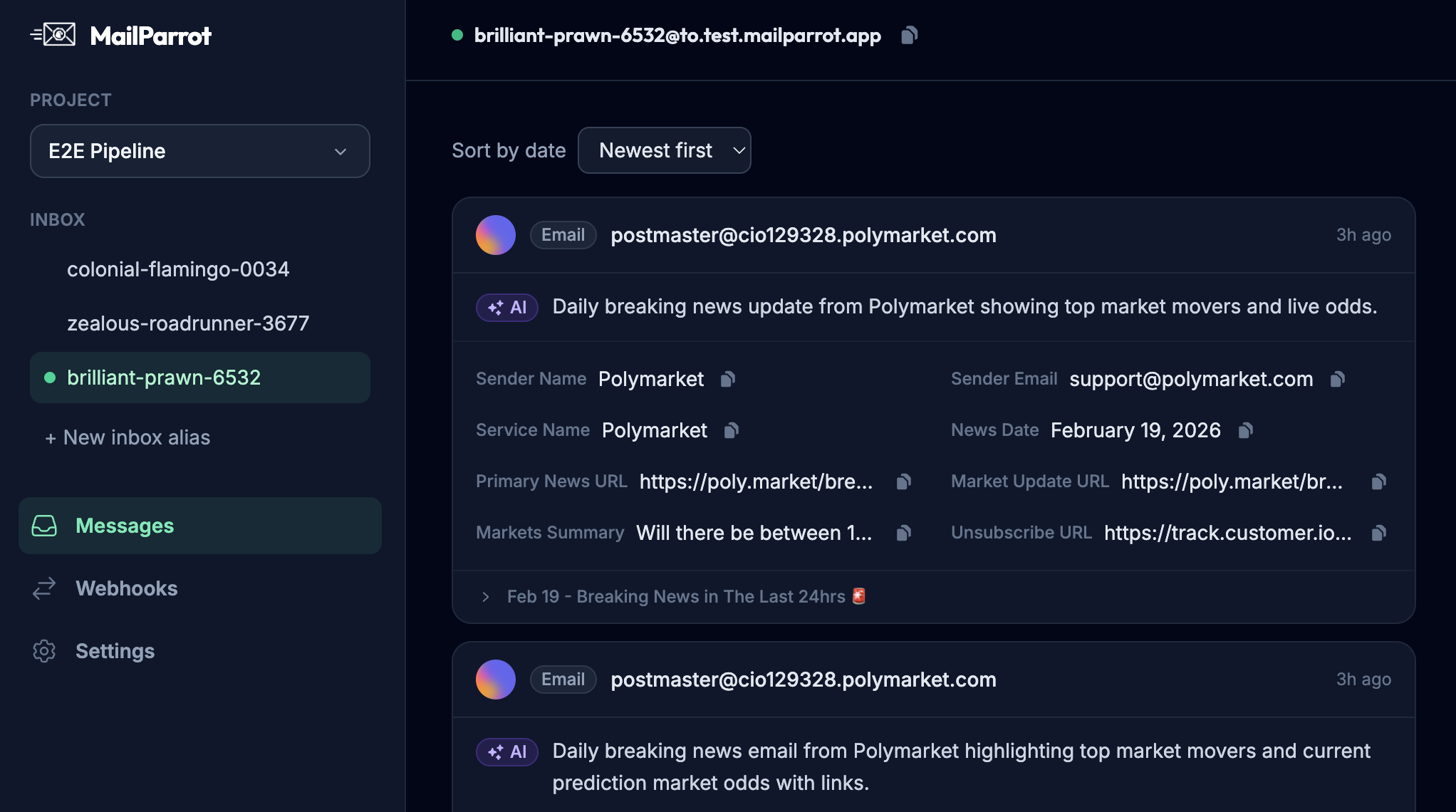
Instead of sending test emails to real inboxes, use programmatic disposable inbox providers. Platforms like MailParrot provide APIs to create temporary mailboxes, capture incoming emails (including OTPs or links), and integrate them into CI/CD pipelines.
This method automates email verification flows fully and isolates testing from user emails.
3. Redirect or block outbound emails in staging
An alternative is to configure the staging environment to 'catch' outbound emails and either discard them or reroute them to a fixed, controlled inbox. This works for tests that don't require interaction with the actual email content, but doesn’t scale well for end-to-end flows where you need to extract codes or links.
4. Use email testing tools or APIs designed for CI/CD
Modern development cycles benefit from integrating email inbox APIs directly into test scripts. This way, your tests can programmatically read incoming emails, parse OTPs or verification links, and proceed without humans manually checking inboxes or fiddling with resets.
How does keeping email flows separate improve continuous integration and delivery?
CI/CD pipelines thrive on automation and predictability. Email verification is notoriously tricky to automate especially if it requires manual inspection or sharing real email accounts.
By isolating email flows with staging-only disposable inboxes, these tests become:
- Reliable: Tests run independently of production systems or variations
- Repeatable: Email accounts can be created and discarded on-demand
- Fast: No waiting on human input for OTPs or confirmation links
- Safe: No risk of contaminating user data or metrics
This level of automation helps teams catch bugs sooner, validates auth flows continually, and frees up engineers from tedious manual QA steps.
Why should you avoid using shared Gmail inboxes for email testing?
Shared Gmail inboxes are a classic but problematic shortcut. They’re easy to set up, but brittle and unreliable:
- Google may throttle or block suspicious activity if multiple automated tests access the same account
- The inbox fills up quickly, leading to missed emails
- Sharing credentials violates security principles and endangers account recovery
- Regex parsing of Gmail HTML or formatted emails is fragile
Instead, use API-first disposable inboxes that are designed for programmatic reading and clearing of emails.
What about brittle regex for email content parsing? Can it be avoided?
Yes. Parsing email content with regex is often a headache because:
- Email formatting varies a lot between providers and languages
- Minor changes in templates can break regex patterns
- HTML and MIME encoding complicate matching
A cleaner approach is to use dedicated inbox APIs that provide:
- Raw and structured email content access
- Event hooks or webhooks triggered on new emails
- Built-in helper functions to extract OTP codes or links
This lets you write simpler, more resilient test assertions and reduces maintenance overhead.
How do disposable inboxes help with user privacy during sign-ups and trials?
Many users and privacy advocates cringe at handing out personal email addresses for every sign-up. Disposable inboxes allow:
- Quick, low-friction onboarding without exposing personal inboxes
- Avoiding email-related spam or unwanted marketing
- Testing signup workflows safely without polluting user data
For companies, respecting this practice aligns well with data minimization principles and makes your app more user-friendly.
What’s the easiest way to start separating staging and production email flows today?
- Audit your current email sending setup. Check where emails are sent from in staging versus production.
- Adopt a disposable inbox API solution for your staging tests. Services like MailParrot let you create inboxes via API and read inbound emails programmatically.
- Configure your staging environment to use those disposable addresses for user creation, password reset, and OTP workflows.
- Update your test scripts to fetch and parse emails using the inbox API rather than relying on shared team mailboxes or brittle regex.
- Monitor logs and alerts to ensure staging emails never leak into production or real user inboxes.
In closing: why making email verification boring is a win for everyone
Email verification can be the most tedious part of the development and user journey. But by keeping staging and production flows separate, adopting disposable inbox APIs, and automating end-to-end testing, you turn this pain point into a well-oiled, boring (in a good way) process.
No surprises, no mistaken emails, no frantic customer support calls. Just smooth, secure, and reliable verification flows that let your team focus on building features instead of firefighting email mishaps.
Now, go forth – and keep those test emails out of users’ spam folders.
Ready to unblock your tests and pipelines?
1,000 free credits with every account-no card required. They don’t expire.
Get started for free