Why Burnable Inboxes Beat Shared Gmail Accounts for Testing
Kieran Goodary
Why are shared Gmail accounts a popular choice for testing email flows?
Shared Gmail accounts have been a go-to for teams juggling email testing for a long time. They’re free, easy to set up, and most developers are already familiar with Gmail’s interface. When you need to verify signup flows, password resets, or OTP deliveries, it’s tempting to just share a common Gmail login across your team. After all, it seems simple - one inbox everyone can access.
But the simplicity of shared Gmail accounts quickly unravels when you actually try to scale your testing setup. The shared login becomes a bottleneck, causes confusion, and introduces flaky tests. While it’s a common pattern, it’s far from an ideal or future-proof solution.
What are the main pain points with using shared Gmail accounts?
1. Risk of account lockout and 2FA hassles. Google’s security is no joke. When multiple team members log in from different locations or IP addresses, Gmail’s automated protections can trigger multi-factor authentication or even temporarily lock the account. This interrupts your CI pipeline and makes automation unreliable.
2. Inbox clutter and noisy emails. A single shared inbox gets overwhelmed with emails from multiple test runs, environments, and users. It’s very easy to miss or lose emails amid the noise. Searching through a shared inbox for a specific test email is a time sink.
3. No easy way to isolate tests or environments. You can’t spin up a new Gmail account on the fly for a specific build or feature branch. There’s no natural isolation between test runs, which increases the likelihood of flaky or overlapped test results.
4. Fragile parsing and fragile email selectors. If your tests rely on loading Gmail’s web UI and scraping or clicking inside it, your selectors will break as Google changes the interface. Using email parsing with regex on Gmail’s HTML emails can be brittle, causing intermittent failures.
5. Shared secrets and security issues. Sharing passwords and credentials for a Gmail account across a team or CI pipeline inevitably leads to leaks or unauthorized access. It’s a security nightmare waiting to happen.
How do burnable or disposable inboxes solve these problems?
Burnable inboxes - sometimes called disposable or temporary inboxes - are programmatic email addresses you can generate on-demand for testing. They provide several advantages that directly address the shortcomings of shared Gmail usage.
Isolation by design. Each burnable inbox is unique and used for a specific test run or user. There is no overlap or state contamination between tests. This naturally prevents flaky tests caused by email jumping between different runs.
No logins or passwords required. Since these inboxes are managed via APIs rather than a traditional login system, there are no shared credentials to worry about. Your CI/CD pipeline can request a new inbox via API and retrieve emails without handling passwords or tokens.
Simplified OTP and link extraction via API. Burnable inbox systems typically provide structured APIs that parse and expose email content, OTP codes, and URLs programmatically. This turns email testing from a brittle scrape-and-regex chore into a reliable automation step.
No UI changes to break your tests. Your automated tests don’t interact with a webmail UI anymore. Instead, they fetch emails directly in raw or parsed form, avoiding failures due to Gmail interface changes.
Speed and scale. You can spin up hundreds or thousands of burnable inboxes quickly. This supports parallel testing, feature branch validations, and high-velocity CI environments.
Cost-effectiveness and independence. Many disposable inbox services offer affordable plans tailored for testers. You avoid the overhead of maintaining and securing shared Gmail accounts.
How does using burnable inboxes improve privacy and security during testing?
Burnable inboxes aren’t just developer-friendly; they’re also better for privacy and security. Using a real Gmail account for automated testing means exposing credentials and sometimes test data to third parties who use those accounts.
Disposable inboxes prevent data from accumulating in a single long-lived account, reducing risks of data leakage. Since each inbox exists temporarily, any leaked OTPs or emails become useless after the inbox expires.
Furthermore, no passwords or personal information are reused, so stolen credentials or account takeovers are less likely to impact your systems or your team.
What are the typical use cases where burnable inboxes win over shared Gmail accounts?
-
End-to-end testing of signups and authentication flows. Quickly generate an inbox, sign up a user, extract the confirmation link or OTP via API, and proceed with your automated test.
-
Password reset journey validations. Verify the email sent contains the right reset link or code without snooping inside a cluttered Gmail inbox.
-
Feature branch testing and pull request environments. Spin up a new disposable inbox per feature branch, avoiding cross-test pollution.
-
Load and scalability testing of email delivery. Generate thousands of burnable inboxes to simulate high-volume scenarios.
-
External QA and user acceptance testing (UAT). Provide disposable inboxes to testers or stakeholders that won’t impact your main systems.
How do burnable inbox APIs help extract OTP codes and links reliably?
A major headache in email testing is scraping dynamic email content and reliably extracting one-time passwords or magic links without fragile regexes or brittle selectors.
Burnable inbox services usually parse incoming emails and expose parsed fields via JSON APIs. For instance, they can provide:
- The raw email body and attachments.
- Extracted URIs such as confirmation or magic login links.
- Parsed OTP codes detected in email text.
- Message metadata including sender and subject.
This structured approach means your tests and automation scripts can directly verify the parts of the email you care about - no fuzzy text matching or brittle scraping required. Your tests become more deterministic and maintainable.
Are there any downsides or gotchas to burning inboxes instead of shared Gmail accounts?
Nothing is magical. Burnable inboxes have their quirks and limitations:
-
Email deliverability: Some services or providers might flag disposable domains as less trustworthy, affecting email deliverability. You might need to configure SPF, DKIM, or use well-known domains to mitigate this.
-
Longevity: Burnable inboxes typically expire after a period. They aren’t meant for permanent accounts. Your test flows must be designed accordingly.
-
Compliance: Depending on your data policies, burning inboxes may not be suitable for sensitive production data.
-
Service dependency: Using a third-party disposable inbox service introduces an external dependency that must be stable and secure.
How can teams integrate burnable inboxes seamlessly into their CI/CD pipelines?
Great question. The best burnable inbox services are API-first, making them straightforward to integrate:
-
Request a new disposable inbox via API. Your test runner fetches a fresh email address programmatically before starting user signup or auth flows.
-
Trigger the email send action in your app. For example, submit the signup form or initiate a password reset.
-
Poll or webhook for incoming email. Use the inbox API to fetch new messages or respond to webhooks when an email arrives.
-
Extract OTP or magic link. Parse the message payload and retrieve the needed code or link.
-
Continue your automated flow. Input the code into the app to complete verification.
-
Dispose or recycle the inbox. After the test finishes, let the inbox expire or discard it programmatically.
This approach is reliable, repeatable, and scalable - perfect for continuous integration and automated end-to-end testing.
Can burnable inboxes replace manual QA email checking too?
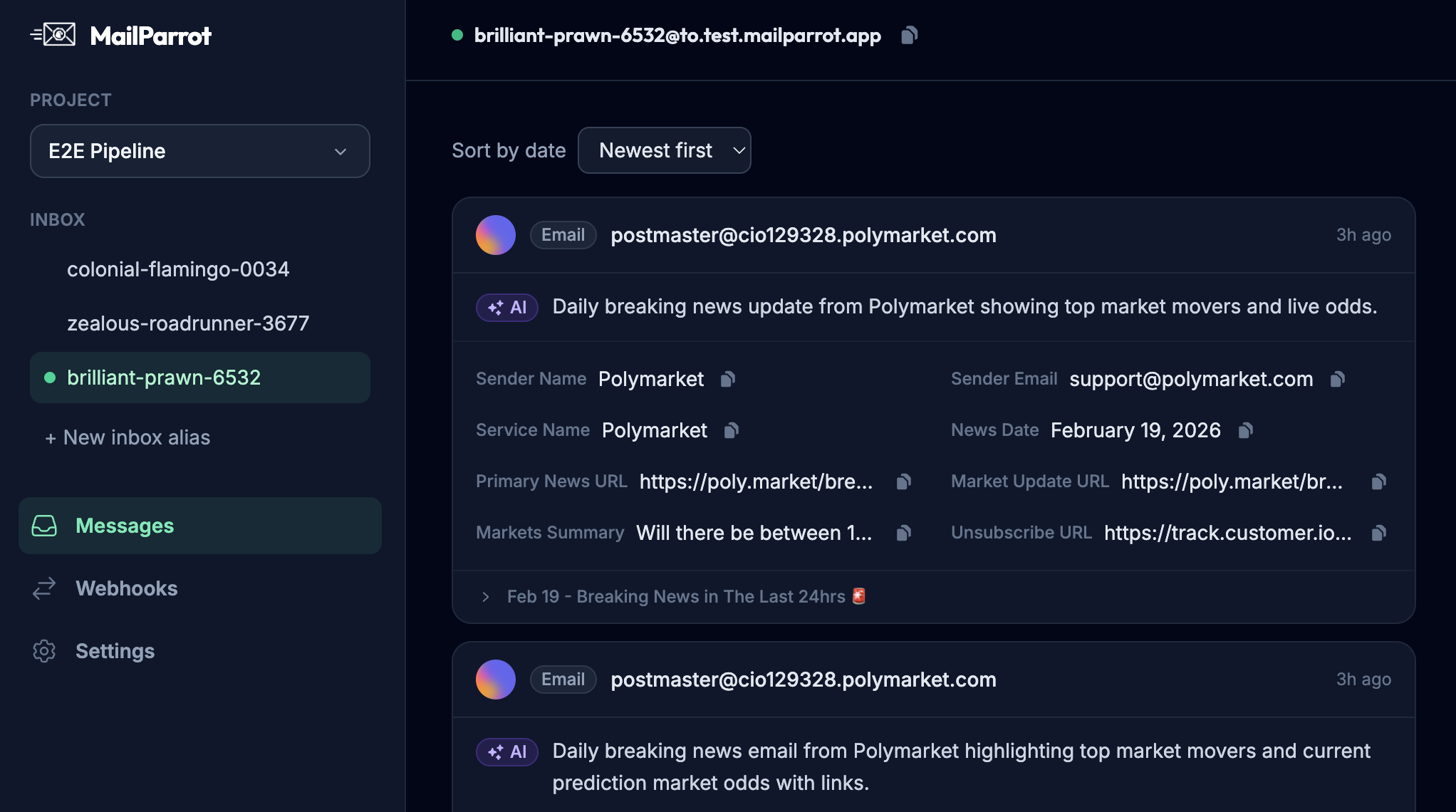
Absolutely. Human testers can access the disposable inboxes via a clean web interface or via API clients to verify email content without dealing with a messy shared Gmail.
This improves productivity since QA isn’t waiting for developers to forward emails or reset shared passwords. They get an isolated, dedicated inbox with just the messages relevant to their test.
How can engineers make email verification boring but reliable?
Email verification is critical but notoriously fragile. By using burnable inboxes:
- You minimize state pollution between tests.
- Avoid brittle UI scraping or regex hacks.
- Automate OTP extraction precisely.
- Reduce manual intervention and failures.
The result is an email verification process that just works reliably and silently in the background, freeing your team to focus on real bugs instead of flaky test infrastructure.
Summary: Why shift from shared Gmail to burnable inboxes?
While shared Gmail accounts feel like an easy fix, they introduce complexity, fragility, and security risks as your testing needs grow. Burnable inboxes offer a clean, API-driven, scalable alternative that:
- Enables test isolation and parallel runs.
- Removes credential-sharing hassles.
- Provides reliable OTP and link extraction.
- Keeps CI/CD pipelines robust and fast.
- Enhances privacy and security.
If you’re serious about automating email testing and verification, investing in burnable inboxes is a no-brainer. It turns an annoying pain point into a reliable, easily maintainable part of your developer toolkit.
For a developer-friendly, API-driven disposable email experience built specifically for testing, OTP extraction, and continuous integration, check out MailParrot - because email testing should be boring, not brittle.
Ready to unblock your tests and pipelines?
1,000 free credits with every account-no card required. They don’t expire.
Get started for free