Giving Every Test Run Its Own Fresh Inbox: Why and How
Kieran Goodary
Why should every test run get its own fresh inbox?
Imagine you’re running automated tests that involve email verification - signing up users, sending OTP codes, password resets, or newsletters. Traditional approaches often rely on a shared email inbox, or worse, parsing emails from a developer’s personal Gmail. This quickly becomes a mess. Emails pile up, tests collide, and flaky failures creep in.
Giving every test run its own disposable inbox means each test starts on a clean slate. No shared state, no stale emails, no cross-test inbox pollution. This isolation makes tests more reliable and easier to debug. If a test fails, you know exactly what emails were involved and no extra noise from previous runs obscures the picture.
In other words, it turns email testing from a headache into a predictable, repeatable part of your cycle.
How do disposable inboxes help simplify email testing?
Disposable inboxes are temporary, programmatically accessible mailboxes that exist just long enough to receive, process, and discard emails related to your test run. They’re perfect for automated pipelines because:
- They isolate data: Each test run gets a new inbox, so emails from previous tests won’t cause false positives or negatives.
- They eliminate manual cleanup: No need to purge old emails or reset inboxes-disposables self-destruct after use.
- They speed up debugging: Since emails are isolated, tracking down missed OTPs or failed email flows is straightforward.
- They integrate easily with automation: Many disposable inbox APIs expose webhooks and inbox polling endpoints, so your tests can programmatically extract OTPs, magic links, or confirmation URLs as needed.
Bottom line, disposable inboxes make email-related testing reliable, fast, and non-flaky-everything you want from reliable end-to-end tests.
Why not just use a shared Gmail or personal email account for testing?
You could, but it’s begging for trouble:
- Message collisions: Multiple tests accessing the same inbox quickly get their emails mixed up. It’s a nightmare to parse which email belongs to which test.
- Rate limits and spam filters: Gmail and many email providers have sending limits and spam detection algorithms that can block or delay your messages.
- Manual setup and maintenance: Shared inboxes need manual cleanup and management to avoid bloat or losing critical test emails.
- Brittle parsing: Developers tend to hack fragile regex extraction on unstructured email bodies, which breaks whenever template or formatting changes.
Using shared or personal inboxes is an old hack best avoided if you want scalable, maintainable tests.
How do disposable inboxes improve OTP extraction and auth flow testing?
One of the trickiest parts of e2e testing is dealing with authentication processes that involve email steps, especially one-time passwords (OTPs) or magic login links.
Disposable inboxes typically offer API features that simplify this:
- Structured email access: Emails arrive in machine-readable JSON including sender, subject, timestamps, and MIME body parts.
- OTP extraction hooks: You can easily grab the OTP code from an email body or subject using parsing rules or even built-in OTP fields.
- Real-time notifications: Webhooks or polling mechanisms notify your test suite as soon as a relevant email arrives, speeding up test execution.
This means your tests can automatically grab the right OTP or confirmation link without brittle regex hacks or timing guesswork. Your auth flows become testable like any other API call or UI action.
How can product and engineering teams benefit from fresh inboxes during CI/CD?
Continuous Integration and Continuous Deployment (CI/CD) pipelines aim to catch issues early and deploy often. Testing email flows in CI/CD with fresh inboxes offers multiple advantages:
- Flaky test reduction: No more squeezing flaky email tests into a cycle dominated by inconsistent inbox states.
- Parallelization: Multiple builds or test suites can run concurrently without inbox conflicts.
- Reliable regression tests: Email-based features get thorough automated testing coverage.
- Faster feedback cycle: Automatic OTP extraction and email verification speed up sign-up and login testing phases.
For product folks, this means confidence that critical email delivery paths won’t break silently, reducing support tickets and improving user trust. For engineering teams, it means less firefighting around flaky tests and more time to build new features.
What about privacy and security when using disposable inboxes in testing?
You might worry about sending sensitive emails-password resets, OTPs, PII-to disposable inboxes hosted by third parties.
Here are some considerations:
- Use trusted providers: Pick inbox services that emphasize privacy and secure storage.
- Limit data exposure: Send test emails only with dummy or anonymized data where possible.
- Ephemeral storage: Good disposable inbox services auto-clear emails periodically and never retain data longer than necessary.
Disposable inboxes aren’t designed for production email delivery but for testing scenarios where security focus shifts to ephemeral, isolated inboxes that avoid cross-test contamination. You wouldn’t send production payments or personal user info here.
What features should you look for in a disposable inbox API?
Different inbox providers vary in features and reliability. Here’s what you want:
- Dynamic inbox creation: Ability to generate or allocate a fresh inbox programmatically per test run.
- API access: Retrieve emails via REST APIs with filtering and pagination.
- Webhook support: Instant delivery notifications push emails to your test system without polling.
- Email parsing helpers: Built-in OTP or link extraction features to simplify your test code.
- Programmatic cleanup: Ability to delete or expire inboxes and messages to keep environment tidy.
- SSL/TLS and security compliance: Ensure data is encrypted at rest and in transit.
Choosing a plugin-free, lightweight API designed for automation will save your team headaches down the road.
How can I implement fresh inboxes in my existing test suite?
Here’s a simple approach to give each test run its own inbox:
-
Setup disposable inbox provider: Register and get API credentials for a disposable inbox service.
-
Generate unique inbox per run: On test setup, request or create a new random inbox address via the API.
-
Use inbox in test flow: Replace your static emails with the new inbox. Trigger your app workflows that send emails there.
-
Poll or webhook for messages: Wait for incoming emails to the inbox. Extract OTPs or confirmation links as needed.
-
Run assertions and teardown: Validate the expected emails arrived correctly. Delete or let the inbox expire post-test.
-
Integrate with CI: Embed these steps in your CI pipeline scripts or test fixtures to automate everything.
Even basic scripts using curl or HTTP clients can do this. The key is programmatic control and isolation.
Isn’t it extra overhead to manage inboxes per test run?
It might feel like extra steps initially, but this pays dividends in the long run. The alternative means debugging test flakiness, chasing intermittent false failures, or building brittle regex extraction to compensate for inbox chaos.
Disposable inbox management can be trivially automated with APIs, often in 10-20 lines of code. The benefit? Reduced flaky tests, faster feedback, and happier engineers.
Consider it the baby step that turns your email tests from a liability into a well-oiled machine.
Can disposable inboxes be used beyond testing?
Absolutely. Disposable inboxes also help regular users and product teams by:
- Protecting user privacy: Users sign up using burnable emails to avoid spam and phishing.
- Enabling free trials without clutter: Temporary inboxes let users try apps without committing their primary email.
- Filtering marketing emails: Users receive newsletters on disposable accounts to keep their personal inboxes clean.
While commercial services focus on disposable inboxes for development and testing, these same features offer benefits across the product experience. Just don’t confuse testing inboxes with production customer communications.
Conclusion: Should you give every test run its own inbox?
If your product sends emails-welcome messages, OTPs, password resets-you owe it to yourself and your team to test these paths reliably. Giving every test run a fresh disposable inbox is the simplest, most effective way to avoid email test chaos.
It isolates tests, speeds iteration, and reduces flake. Modern disposable inbox APIs designed for automation make adding this capability straightforward, even in complex CI/CD pipelines.
Stop wrestling with shared Gmail accounts or brittle regex hacks. Make email verification boring, reliable, and automated. Your future self (and your build logs) will thank you.
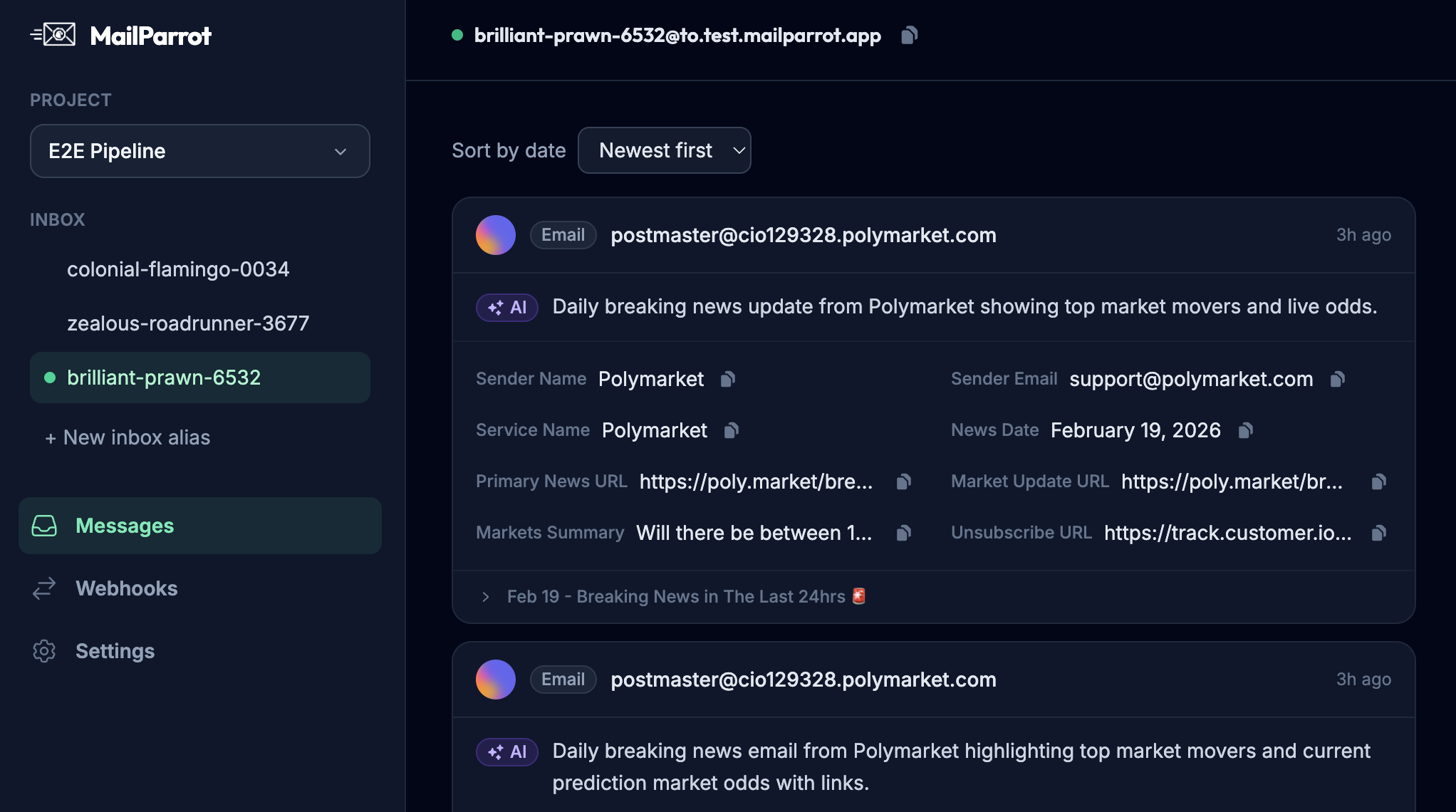
Bonus tip: Check out MailParrot if you want a developer-friendly inbox API built specifically for these use cases. It offers disposable inboxes, OTP extraction, webhooks, and smooth CI integration without the usual email testing headaches.
Ready to unblock your tests and pipelines?
1,000 free credits with every account-no card required. They don’t expire.
Get started for free