Keeping Staging and Production Email Flows Separate: A Developer’s Guide
Kieran Goodary
Why should I keep staging and production email flows separate?
Mixing staging and production email flows is like hosting a formal dinner and throwing a wild party in the same room simultaneously-confusing, messy, and likely to burn something. In software development, email is a critical communication channel that interacts with real users, sensitive data, and often triggers security workflows like password resets or two-factor authentication. If your staging environment sends emails to actual users or if production emails get contaminated with test data, the result is user confusion, data leakage, and trust erosion.
Keeping your staging and production email flows separate ensures:
- Data privacy and security: Test emails don’t reveal sensitive user info or clutter real inboxes.
- Reliability: Production emails deliver real messages unhindered by test traffic.
- Testing accuracy: Developers can validate email content and workflows without affecting end users.
- Incident isolation: Problems in staging won’t interfere with live communications.
Given these stakes, mixing environments is not just inconvenient; it’s risky.
How do developers accidentally mix email flows between staging and production?
It happens more often than we like to admit. Some typical pitfalls include:
- Shared SMTP servers or APIs: Using the same email provider credentials in staging and production means emails can go anywhere.
- Hardcoded or environment-agnostic recipient addresses: Tests that send emails to static or production user addresses instead of disposable or fake inboxes.
- Using real user data in staging: Importing production data wholesale into staging can cause emails to land in real mailboxes.
- Lack of environment-specific email domains or subdomains: Without differentiation, it’s hard to route emails correctly.
These misunderstandings create a risk cocktail where test emails confuse, frustrate, or even expose end users.
What practical strategies help keep staging and production email flows separate?
1. Use Disposable or Burnable Inboxes in Staging
Deploying disposable inboxes for staging is the secret sauce for safe email testing. These inboxes are programmatically generated, isolated, and ephemeral accounts that developers can use to catch emails. Because they aren't linked to real users, they prevent test emails from leaking into production accounts.
Tools like email testing inbox APIs allow you to:
- Create inboxes on the fly
- Fetch emails via API
- Extract one-time passwords (OTPs) or verification links
- Clean up inboxes automatically
This approach ensures staging emails get captured harmlessly, enabling automated tests without risk.
2. Configure Separate Email Providers or Domains
If your production system uses prod.example.com and your staging uses staging.example.com, then configure distinct email sending domains and credentials for each environment. This helps email providers like Gmail, Outlook, or spam filters identify the origin and reduces accidental bleed-over.
For example, production might send from no-reply@example.com, while staging sends from no-reply@staging.example.com. You can set SPF, DKIM, and DMARC records accordingly.
3. Environment Flags and Conditional Email Sending
Introduce flags in your codebase or CI pipelines to detect staging vs production and adjust email behavior accordingly. In staging, you might:
- Suppress sending to real users and reroute to test inboxes
- Replace user email addresses with disposable or dummy emails
- Attach emails as logs or files instead of sending
This approach avoids deploying untested mail code that sends to users accidentally.
4. Automate OTP Extraction and Email Parsing
Testing email flows often involves authenticating users via OTPs or magic links. Hardcoding fragile regex to parse these from live emails leads to brittleness.
Using specialized APIs that provide email message bodies via JSON and offer robust OTP extraction methods can eliminate flaky parsing. Automating this in your CI helps keep end-to-end tests reliable and separate from production.
How do disposable inboxes improve testing and CI/CD workflows?
Disposable inboxes are like digital sandboxes for your emails:
- Instant setup: Spin up new inboxes per test case or CI job.
- Programmatic access: Fetch incoming messages through APIs to validate content and extract tokens.
- Parallel testing: Run multiple independent tests without mailbox conflicts.
- No cleanup headaches: Automatically expire inboxes or periodically purge content.
This makes your test suite friendlier, your email tests more stable, and your CI pipelines more predictable.
Why is relying on shared Gmail inboxes or brittle regex a bad idea?
A very common shortcut developers take is using a shared Gmail inbox for tests or writing fragile regular expressions to mine OTPs or links from plaintext emails. These cause multiple issues:
-
Shared Gmail Inboxes
- Mailbox Sweet Spot? Shared accounts can get flooded, slow down, and cause race conditions or overlaps.
- Privacy Risks: Real users’ data and test data co-exist, which can accidentally expose production info.
-
Brittle Regex Parsing
- Format Changes Break Tests: Email templates often evolve, and regexes break unexpectedly.
- Hard to Maintain: Regexes dealing with multi-line or HTML email content become unreadable and error-prone.
Disposable inbox APIs designed for developer use return structured data, mitigating these risks.
How can I make email verification and auth flows boring and reliable?
Email verification and authentication flows are crucial security gates, but when testing them becomes a circus, everyone loses. Making them boring means:
- Standardize and automate: Use disposable inboxes with OTP extraction integrated into your CI.
- Monitor email delivery and content: Automatically confirm emails sent and links valid before releasing.
- Avoid user intervention in tests: Automate clicking magic links or submitting OTPs programmatically.
By removing the manual steps and flaky parsing, your email flows become a well-oiled part of your deployment pipeline rather than a headache.
What tools and technologies support keeping staging and production email flows separate?
Several tools embrace these principles, including:
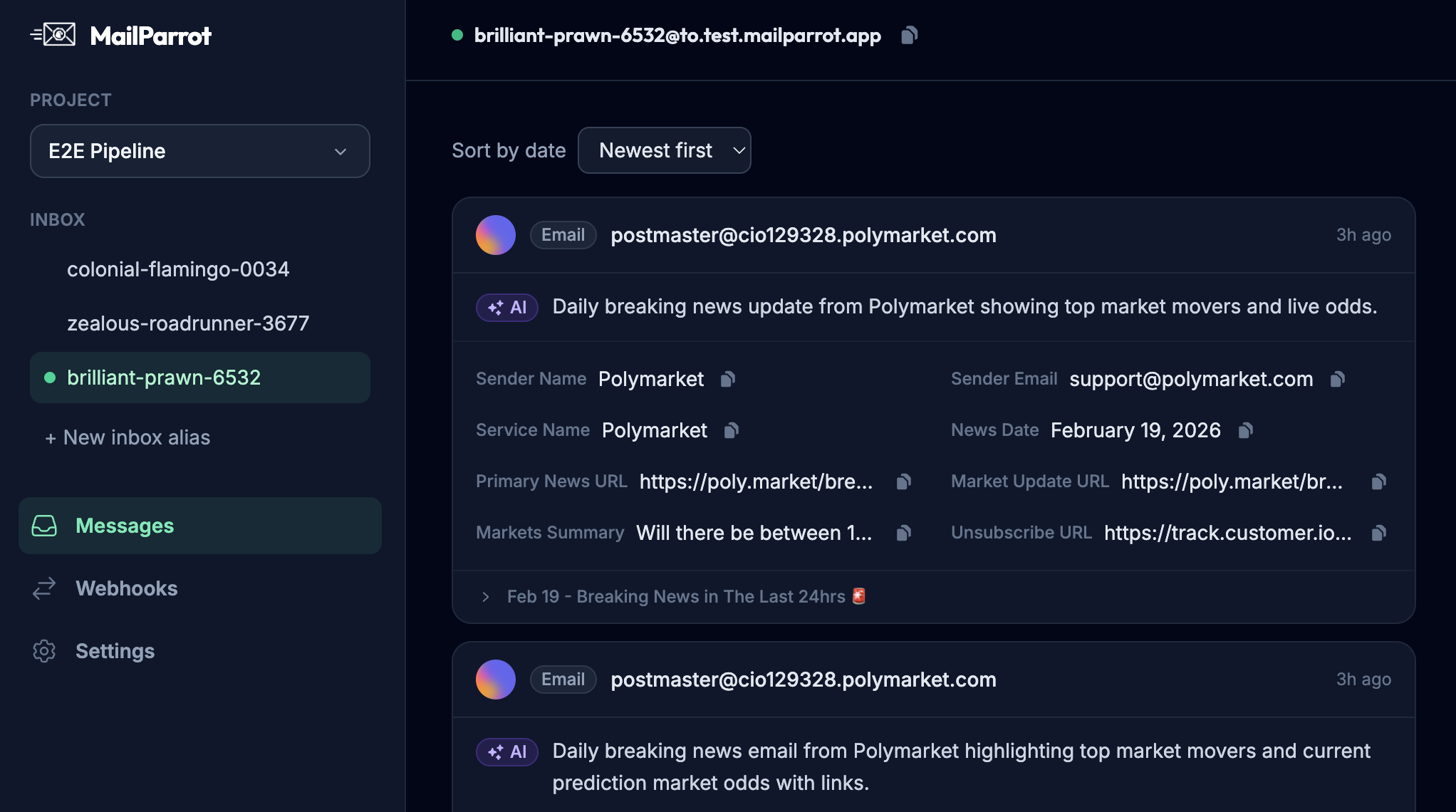
- MailParrot: A disposable inbox API that allows developers to create temporary inboxes on demand, programmatically retrieve emails, and extract OTPs-great for CI/CD pipelines.
- MailHog: An open-source email testing tool that captures emails locally.
- SendGrid or AWS SES Sandbox: Some providers offer sandbox modes that prevent emails from reaching the internet.
Choosing tools that support ephemeral inboxes and provide APIs for inbox management helps integrate email testing seamlessly.
How do I implement disposable inboxes in a CI environment practically?
- Provision inboxes dynamically: Your CI jobs create temporary inboxes via API calls.
- Run tests using these inbox addresses: Pass generated email addresses to your application or test scripts.
- Poll inboxes for expected emails: Automatically fetch emails, validate content, and extract OTPs.
- Perform test assertions: Confirm links, tokens, or content meet expectations.
- Clean up: Destroy or expire inboxes after tests complete.
This approach prevents false positives, avoids email collisions, and keeps your CI environment clean.
Is it overkill to treat email testing with such rigor?
If you want to avoid incidents where customers receive test emails, users lose trust, or your CI breaks mysteriously-no, it’s not overkill. Managing email testing properly is a sign of mature engineering practices. Email is one of the last mile user experiences and security checkpoints-make it solid.
Your production environment deserves robust handling, and your staging environment deserves sandboxing without surprises. Separating these with the right tools and processes keeps your team sane and users happy.
If you want to dig deeper into disposable inboxes or streamline your email testing strategy, consider checking out MailParrot or similar tools that fit naturally into developer workflows.
Remember: make emails boring, stable, and separated-your users and future self will thank you.
Ready to unblock your tests and pipelines?
1,000 free credits with every account-no card required. They don’t expire.
Get started for free