Why CI/CD Pipelines Need Dedicated Test Inboxes
Kieran Goodary
Why do CI/CD pipelines require dedicated test inboxes?
If you're running CI/CD pipelines and you're not using dedicated test inboxes, you're playing a risky game of email roulette. Most continuous integration setups involve deploying changes, running automated tests, and verifying features end to end. When your product sends out emails-be it sign-up confirmations, password resets, or OTPs-you need to confirm they're actually delivered and contain the right content. Without dedicated test inboxes, email handling can become flaky or unreliable, causing false negatives and wasted debugging hours.
Dedicated test inboxes provide isolated, ephemeral email addresses exclusively used during automated tests. This means your pipeline can reliably receive, parse, and verify emails without the noise or delays typical of shared or production inboxes. In other words, they make email testing boring and predictable-exactly what you want.
Can't we just use shared Gmail accounts or existing mailboxes for testing?
Sure, you could, but you probably shouldn't. Shared Gmail or production mailboxes introduce several problems:
- Noise and interference: Incoming mail from real users or marketing campaigns pollutes your test inbox, making it hard to detect relevant messages.
- Concurrency issues: Parallel CI jobs might try to read or delete the same emails, leading to race conditions or flaky tests.
- Authentication headaches: Accessing Gmail programmatically requires managing OAuth tokens or app passwords, adding complexity and potential points of failure.
- Data retention and privacy risks: Using production emails for testing risks exposing real user data or test artifacts in the wild.
Using dedicated test inboxes, ideally disposable and API-accessible, sidesteps these issues. You get clean inboxes that can be created and destroyed on-demand, ensuring consistent test environments.
How do dedicated test inboxes improve end-to-end (E2E) testing?
One of the trickiest parts of E2E tests-especially for user flows involving email verification-is dealing with the email step itself. For example, a signup flow might send a verification email or code. Your test needs to wait for that email, extract the code or link, and continue.
With dedicated test inboxes, you gain precise control:
- Deterministic email receipt: Since the test inbox is isolated, your job can immediately poll or listen for the incoming email.
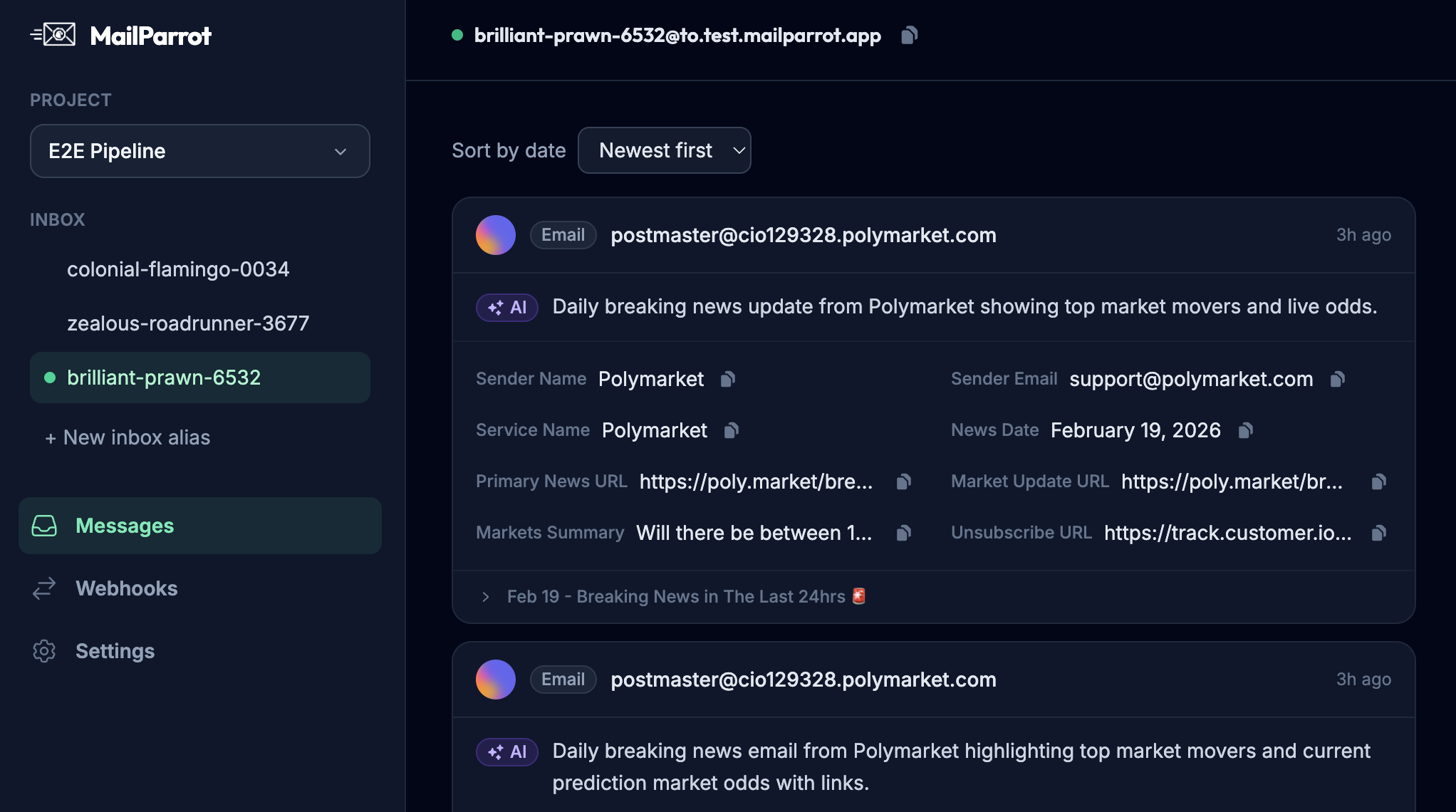
- Structured API access: Instead of parsing unpredictable inboxes, you can use an API to fetch messages as structured data.
- Reliable OTP or link extraction: Your tests can extract one-time passwords or links without relying on brittle regex patterns that can break with slight email template changes.
This leads to fewer flakey tests and more confidence that your emails actually reach users.
Why is extracting OTPs or verification links from emails so painful without dedicated test inboxes?
If you’ve ever implemented OTP extraction, you probably know that parsing emails with regex quickly becomes a maintenance nightmare. Email formats vary; HTML vs plain text; different line breaks; internationalization; microcopy changes-all can break your regex.
Dedicated test inbox APIs often provide:
- Raw email content and metadata: So you can parse intelligently rather than guessing.
- Webhook support: Get notified in real-time when an email arrives, avoiding unnecessary polling.
- Search and filtering capabilities: Retrieve just the emails you need, improving test isolation.
This helps you build extraction logic that’s more resilient and less brittle, keeping your CI pipeline running smoothly.
How do disposable inboxes align with privacy and security best practices?
Even in CI/CD pipelines, security and privacy matter. Using disposable inboxes:
- Reduces exposure of real user data: Your tests don’t accidentally leak or mix production emails.
- Limits persistence of test data: Disposable inboxes can auto-expire, minimizing data retention risks.
- Avoids sharing credentials: No need to store shared email account passwords or tokens globally.
This approach matches the principle of least privilege and keeps your test environment cleaner and more secure.
How can you integrate dedicated test inboxes into your CI/CD pipeline?
Integration is usually straightforward:
- Provision an inbox at test start: Use an API to create a fresh, disposable email address.
- Use the inbox in your tests: When simulating user sign-ups or password resets, send emails to that address.
- Fetch or receive emails: Poll the inbox API or subscribe to webhooks for incoming messages.
- Extract needed data: Parse the email body or headers for OTPs, verification links, or tokens.
- Proceed with automation: Continue your test flow by inputting extracted data where needed.
- Clean up: Optionally delete the inbox or let it expire automatically after tests complete.
With this approach, each test runs in an isolated, repeatable environment, drastically reducing flaky email-related failures.
Isn’t managing multiple disposable inboxes expensive or complicated?
You might think managing disposable inboxes is a headache, but modern API-first services make it painless:
- Automated provisioning: No manual mailbox creation; just API calls.
- Programmatic access: Fetch emails, delete messages, and manage inboxes programmatically.
- Pay-as-you-go: Costs are predictable and generally low compared to the development time saved.
- Scalability: Supports parallel tests without email collisions or race conditions.
In fact, the complexity of managing flaky email tests without dedicated inboxes almost guarantees a bigger time sink and possibly costly incident recovery.
What if my application uses multiple email domains or complex authentication flows?
Great question. Dedicated test inbox solutions typically support custom domains or subdomains, so you can mimic your production environment’s email domain. This is helpful to fully test SPF, DKIM, DMARC, or other email authentication mechanisms.
Moreover, some inbox APIs provide advanced features like:
- Multiple user addresses per inbox: Useful for testing aliasing or forwarding.
- Webhooks with custom payloads: To integrate cleanly with your pipeline notifications.
- Rich metadata and attachment handling: For testing emails with files or complex structures.
This means your email tests can be as close to reality as needed without risking your production infrastructure.
How does this approach make email verification "boring" and reliable?
Remember, the goal in CI/CD pipelines isn’t to reinvent the wheel with every email test. Instead, you want to remove email from being a source of unpredictability or failure.
Dedicated test inboxes transform email verification into a mechanical, boring step�-automated, fast, and trustable. Once set up, the tests either pass or fail because of your code, not because the email bounced, arrived late, or was caught in spam filters.
In short, dedicated test inboxes enable your pipelines to trust email flows just like any other API call or database query.
In summary: What are the top reasons to use dedicated test inboxes in CI/CD?
- Isolation from production or shared mailboxes prevents message noise and ambiguities.
- Programmable APIs grant reliable access to inboxes and emails.
- Webhooks and event-driven notifications speed up test runs and reduce polling overhead.
- Easier and more reliable OTP and verification link extraction cuts down on brittle regex.
- Clean separation enhances security and privacy by avoiding credential sharing and test data leaks.
- Scalable parallel test environments ensure tests don’t interfere.
- Support for custom domains and advanced features lets you mirror production closely.
Email testing shouldn’t be your team’s dark corner of mystery and frustration. Dedicated test inboxes make it predictable and manageable, fitting neatly into the automated world of CI/CD pipelines.
If you want to dive deeper, look into services and APIs that provide disposable inboxes optimized for developers. They can save you from countless hours of debugging flaky email tests, leaving you more time to actually ship features.
Happy testing and may your inboxes always receive the right emails on time!
Ready to unblock your tests and pipelines?
1,000 free credits with every account-no card required. They don’t expire.
Get started for free