Making Email Verification Boring and Reliable: A Developer’s Guide
Kieran Goodary
Why should email verification be boring?
If you’re thinking email verification is anything but boring, it probably means you’ve been on the receiving end of complicated, flaky, or downright broken flows. For developers and product teams, email verification tends to be one of those necessary evils-something nobody loves working on, but everyone needs. The goal should be to make it as unremarkable as possible. When something is boring, it’s reliable, predictable, and low maintenance.
Email verification underpins critical processes like sign-ups, password resets, and multi-factor authentication. Its failure modes often impact user trust and product security, so there’s no place for gimmicks or over-engineering. By making the flow boring and reliable, you gain stability in your systems, reduce support tickets, and keep your launch plans tidy.
How do disposable inboxes help in making email verification reliable?
Disposable or burnable inboxes aren’t just party tricks for avoiding spam. They are invaluable tools for building confidence in your email verification workflows, especially during automated testing. Instead of relying on a shared Gmail account stuffed full of manual reads and a tangle of folders, disposable inboxes provide clean, isolated environments for each test run.
They reduce noise, prevent accidental cross-contamination of inboxes, and eliminate the need for fragile screen-scraping of emails. Plus, from a developer perspective, disposable inbox APIs can programmatically create, read, and destroy inboxes on demand-making them perfect for CI/CD pipelines.
By using disposable inboxes during development and testing, you ensure that your verification emails arrive correctly, contain the necessary tokens or links, and are correctly parsed without guessing or brittle regex hacks.
Why is relying on shared Gmail accounts and regex brittle for email verification tests?
Shared Gmail inboxes are the default “solution” many teams fall back on, but they come with headaches. Multiple developers or tests clogging the same inbox can cause race conditions and false negatives. Gmail’s interface changes can break scrapers, and network delays or spam filters complicate test reliability.
As for regex extraction of verification codes or URLs, it’s a classic source of fragility. Email formats vary widely-sometimes the code is embedded in HTML, sometimes plaintext, and sometimes it might change entirely if a product owner tweaks email templates. A tiny change in email wording can cause your regex to fail silently.
That brittleness leads to flaky tests, and flaky tests lead to distrust in your testing suite. Before you know it, developers ignore failing tests and roll their own manual verification-a slippery slope.
How can OTP extraction and webhooks make email verification easier and more maintainable?
Using an API that supports OTP (one-time password) extraction and webhooks means you can snap your email verification directly into your test scripts without poking at raw email content yourself. Imagine your test does this:
- Requests account creation
- Polls your disposable inbox’s webhook
- Receives a JSON payload containing the OTP or verification URL
- Proceeds with the verification step
No regex needed, no manual email parsing.
This approach makes your verification flow much more maintainable and less prone to breakage. If your email template changes, the OTP extraction logic managed by the inbox provider often adapts automatically or is easier to update, since you aren’t embedded deep in test code.
Webhooks also reduce polling overhead, making your CI pipelines faster and less prone to timing issues.
How do disposable inboxes support continuous integration and end-to-end testing?
Testing email flows manually doesn’t scale, but with disposable inboxes integrated into your CI/CD pipelines, you can bake email verification directly into your automated tests. Generate an inbox per test run, perform the user action triggering email, fetch and parse the verification details via API, and validate your application’s behavior end-to-end.
This reduces the chance of email-related regressions sneaking into production-because you’re catching them at every commit. It also improves quality, confidence, and deployment speed.
In practice, your CI jobs can spawn inboxes with APIs like MailParrot, run tests against your app using addresses that only exist for that run, and then discard the inboxes cleanly.
How does using programmatic inbox API compare to ad-hoc manual email checks?
Manual email checks are a productivity killer. They’re slow, error-prone, and hard to scale as your codebase and team grow. On the other hand, programmatic inbox APIs let your tests and tooling talk directly to mailboxes, removing guesswork.
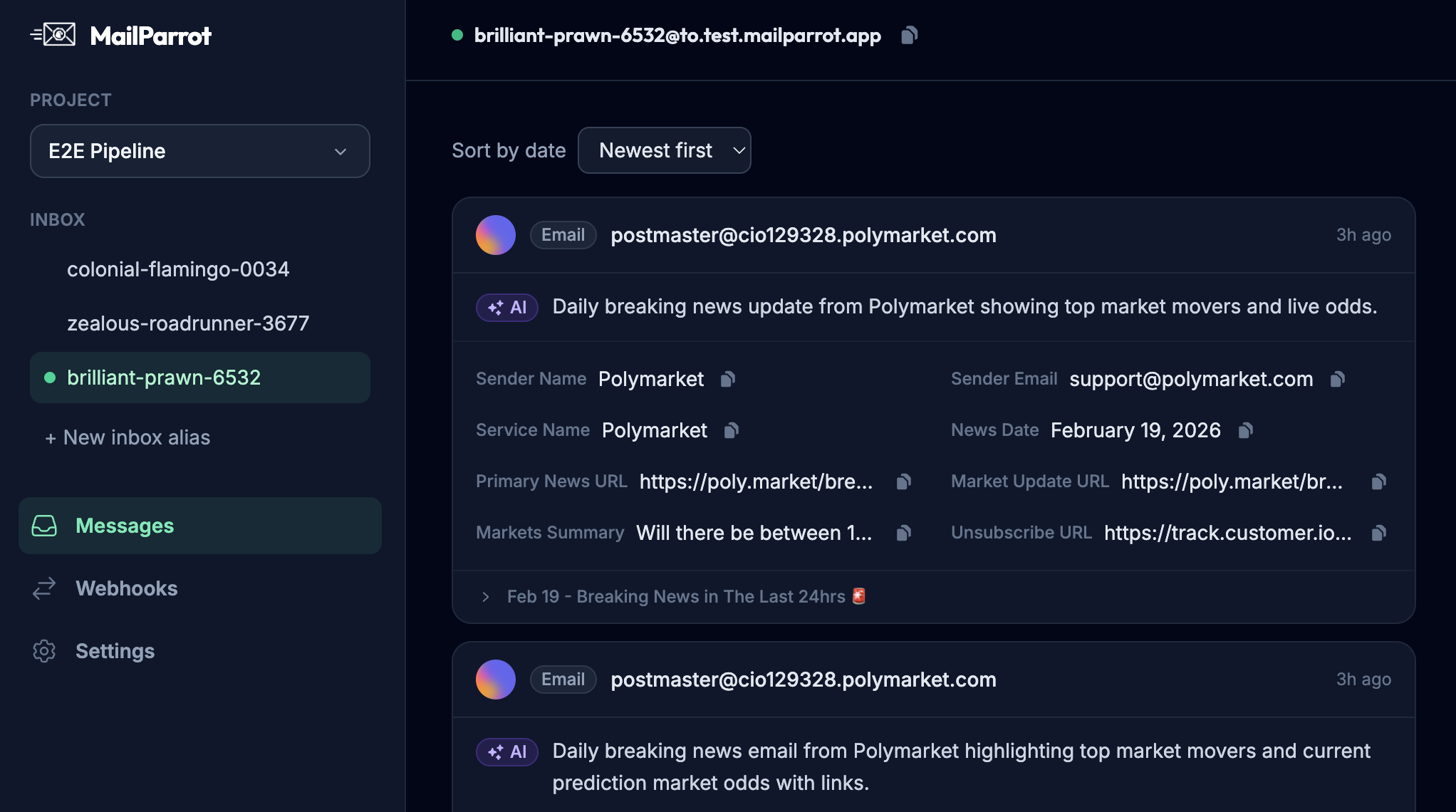
You don’t just get emails; you get structured data-subject lines, timestamps, body text, headers, and even extracted OTPs. This means tests are razor-focused and less brittle.
For engineering teams, programmatic access to email means the difference between “it works on my machine” and reliable, repeatable validation aligned with development velocity.
What should developers watch out for when choosing a disposable inbox provider?
Not all inbox providers are created equal. Some offer only basic email reception without programmatic parsing or OTP extraction. Others might have delays in receiving emails or limited concurrency, which bottleneck your CI throughput.
Look for these features:
- API-first design that supports inbox creation, retrieval, and deletion
- Reliable and near real-time email delivery
- Built-in parsing of verification codes or links
- Webhooks or push notifications to avoid inefficient polling
- Simplicity and clarity in API documentation
Avoid providers that require complex workaround hacks or manual steps, as they will reduce your automation reliability.
How can you integrate email verification into your authentication flows to reduce user friction?
From the user perspective, email verification is often the least exciting part of onboarding. If it’s sluggish, buggy, or unreliable, users drop out.
By making verification boring and reliable in your backend (using disposable inboxes and automated tests), you pave the way to optimize the user experience as well. You can:
- Provide immediate feedback based on API responses
- Retry or resend emails programmatically when delivery fails
- Extract verification tokens accurately to streamline steps like password resets or two-factor auth
All these require solid engineering foundations that start with reliable email verification systems.
What are practical next steps for developers wanting to improve their email verification flows?
-
Ditch shared inboxes and focus on disposable, API-driven inboxes. Start using an inbox service that lets you spin up and tear down addresses programmatically.
-
Incorporate OTP extraction and webhooks into your test suites. Move beyond regex-based parsing and polling. Make your CI/CD pipeline smarter.
-
Automate end-to-end email verification in your integration tests. Treat email flows as first-class test cases.
-
Monitor and alert on email delivery failures or slowdowns. Email isn’t just a nice-to-have; it’s part of your critical path.
-
Review and simplify your email templates. The simpler the email, the easier OTP extraction and testing becomes.
-
Adopt tools and practices that treat email as code. Version control, automated tests, and CI-friendly email workflows are the future.
Email verification doesn’t need to be an adventure-it should be a predictable, automated, and reliable gatekeeper that just works quietly in the background. By investing in disposable inboxes, better OTP extraction, and automation-friendly tooling, developers can finally make email verification boring and genuinely trustworthy.
Ready to unblock your tests and pipelines?
1,000 free credits with every account-no card required. They don’t expire.
Get started for free