Why CI/CD Pipelines Need Dedicated Test Inboxes
Kieran Goodary
Why are dedicated test inboxes essential for CI/CD pipelines?
Continuous Integration and Continuous Deployment (CI/CD) pipelines are all about automation and reliability. When your product sends emails during workflows-like user sign-up verifications, password resets, or transactional notifications-you need a way to verify those emails without human intervention. Enter dedicated test inboxes, the unsung heroes of reliable CI/CD.
Using dedicated inboxes tailored for testing prevents your pipeline from tripping over flaky email deliveries and flaky parsing logic. Unlike manual testing, or worse, relying on shared mailboxes like generic Gmail accounts, these inboxes provide a clean, isolated environment where email reception and contents can be precisely controlled and validated. This leads to more consistent, faster, and reliable pipeline runs.
What problems arise when using shared or manual email testing during CI/CD?
Let’s be honest: using a shared Gmail or any regular mailbox for email testing is a classic developer antipattern. Yes, it “works” in a pinch, but at what cost?
-
Email clutter and race conditions: If multiple developers or parallel pipeline runs share the same inbox, messages can get lost, duplicated, or mistakenly filtered.
-
Brittle parsing logic: Many teams rely on regex to extract tokens or URLs from emails. Regex is handy but notorious for breaking with slight changes to email templates.
-
Manual intervention: Often the pipeline pauses waiting for humans to check emails, copy OTP codes, or verify links. This slows down CI/CD and erodes the whole point of automation.
-
Privacy and security risks: Sharing authentication emails on a public or shared mailbox compromises user data and test isolation.
All these issues add friction, slow down deployments, and ultimately impact developer productivity and trust in automation.
How do dedicated test inboxes solve these problems?
Dedicated test inboxes are purpose-built email addresses spun up instantly, captured programmatically, and torn down automatically if necessary. Here’s why they make your CI/CD pipeline happier:
-
Isolation and uniqueness: Each pipeline run can have a fresh inbox, eliminating email collisions and race conditions.
-
API-driven access: Instead of logging into a web client, test scripts can pull raw email content or extracted OTP codes via simple API calls. No more screen scraping or inbox clicking.
-
Built-in parsing: Modern test inboxes often provide structured data (like extracted one-time passwords) so you don’t have to write or maintain fragile regex.
-
Webhook support: Some inboxes can push email delivery events or contents back to your pipeline instantly, reducing delays and polling.
-
Privacy and compliance: Test data stays encapsulated and prevents leaking to other teams or developers.
The result? You shift from brittle, error-prone hacks to robust, transparent, and scalable email testing.
What are some typical developer workflows that benefit from test inboxes in CI/CD?
User sign-up and email verification: Automate account creation flows that require email validation. The pipeline creates a new test inbox, triggers the sign-up, waits for the verification email, extracts the confirmation link or token, and proceeds-all without human hands.
Password reset flows: Ensure your reset emails deliver correctly and the links or OTPs are valid. The pipeline controls inboxes and tests edge cases like expired tokens or malformed emails.
One-Time Password (OTP) extraction and validation: Automated tests can fetch OTPs directly from the inbox API instead of relying on fragile regex. This means faster, less brittle tests.
Transactional email testing: Confirm that purchase receipts, notifications, or alerts arrive promptly and contain the expected content.
End-to-end testing of authentication systems: Mailboxes that cleanly represent test users allow reliable testing of multi-factor authentication (MFA) or passwordless flows.
In short, any time your product sends an email that impacts user experience or system behavior, dedicated test inboxes can boost your confidence that your CI/CD pipeline actually validates the full stack.
Why is relying on regex to parse emails a bad idea in automated tests?
Regex is the swiss-army knife of text processing, but emails are tricky beasts. Templates change frequently, HTML can be messy, and slight updates or localization break naive regex parsing.
For example, your OTP extraction regex might work like a charm this week but suddenly fails because someone reworded the email or changed formatting. That translates into flaky test failures-those unexpected gremlins everybody hates.
Dedicated test inbox APIs that support OTP extraction shield you from this fragility. They parse email content natively using robust parsing logic and deliver OTP codes directly in JSON, avoiding regex entirely. It’s like having a reliable waiter who understands your order perfectly instead of shouting it over a noisy kitchen.
How do disposable inboxes improve email-based testing privacy and security?
Using disposable or temporary inboxes for tests helps keep any test data confined and short-lived. Since these inboxes exist only for the duration of the pipeline or test, sensitive tokens and personal data don’t linger on shared infrastructure.
This limits risks of sensitive info leakage between tests, between teams, or worse, to production environments. Also, by automating inbox disposal, you reduce manual cleanup headaches.
Can dedicated test inboxes handle webhook notifications and real-time email tracking?
Absolutely. Many modern test inbox providers support webhooks to notify your CI/CD pipeline the moment an email arrives. This eliminates inefficient polling loops and accelerates test execution.
For instance, your test can register a webhook URL that triggers a pipeline step when a verification email shows up. The pipeline then instantly requests the email, parses it, and moves forward. This event-driven model is much cleaner and makes your pipelines more responsive.
How to integrate dedicated test inboxes into existing CI/CD workflows?
Integration typically involves:
-
Provisioning test inboxes: Via API calls, your pipeline creates or reserves disposable email addresses for the duration of the test.
-
Using the inbox address in your test: Supply the generated email address in your signup or transaction requests.
-
Waiting for and fetching emails: Through polling, webhooks, or direct API calls, retrieve new emails.
-
Extracting needed data: Use built-in parsing or API fields rather than regex to get OTPs, links, or tokens.
-
Cleaning up: Delete or discard inboxes post-tests to prevent build-up.
This approach works smoothly with popular CI/CD platforms like Jenkins, GitHub Actions, GitLab CI, or CircleCI. Most test inbox solutions have REST APIs and language-friendly SDKs.
Are there open-source or self-hosted options for test inboxes?
While some projects provide open-source disposable inbox services, they tend to lack the reliability, scalability, or advanced features (like OTP extraction) of commercial offerings.
If you want to build your own, be prepared to handle email reception, storage, API development, parsing logic, and potentially spam filtering.
Many dev teams opt for SaaS products to avoid this overhead and gain immediate productivity.
What is the bottom line for developers and product teams?
Dedicated test inboxes are not just a nicety-they’re a fundamental part of modern CI/CD when your workflows involve emails.
They:
- Upgrade fragile, manual, or shared testing to robust, automated quality checks
- Reduce false negatives and flaky test runs caused by shared inbox chaos or parsing errors
- Speed up end-to-end testing of authentication and transactional flows
- Improve privacy by isolating and discarding test emails
- Provide event-driven, API-first access to email content and OTPs
If you want your CI/CD pipeline to treat email verification like the boring but vital plumbing it is, dedicated test inboxes are your go-to tool. They let your automated tests stay automated, your developers stay sane, and your product stay reliable.
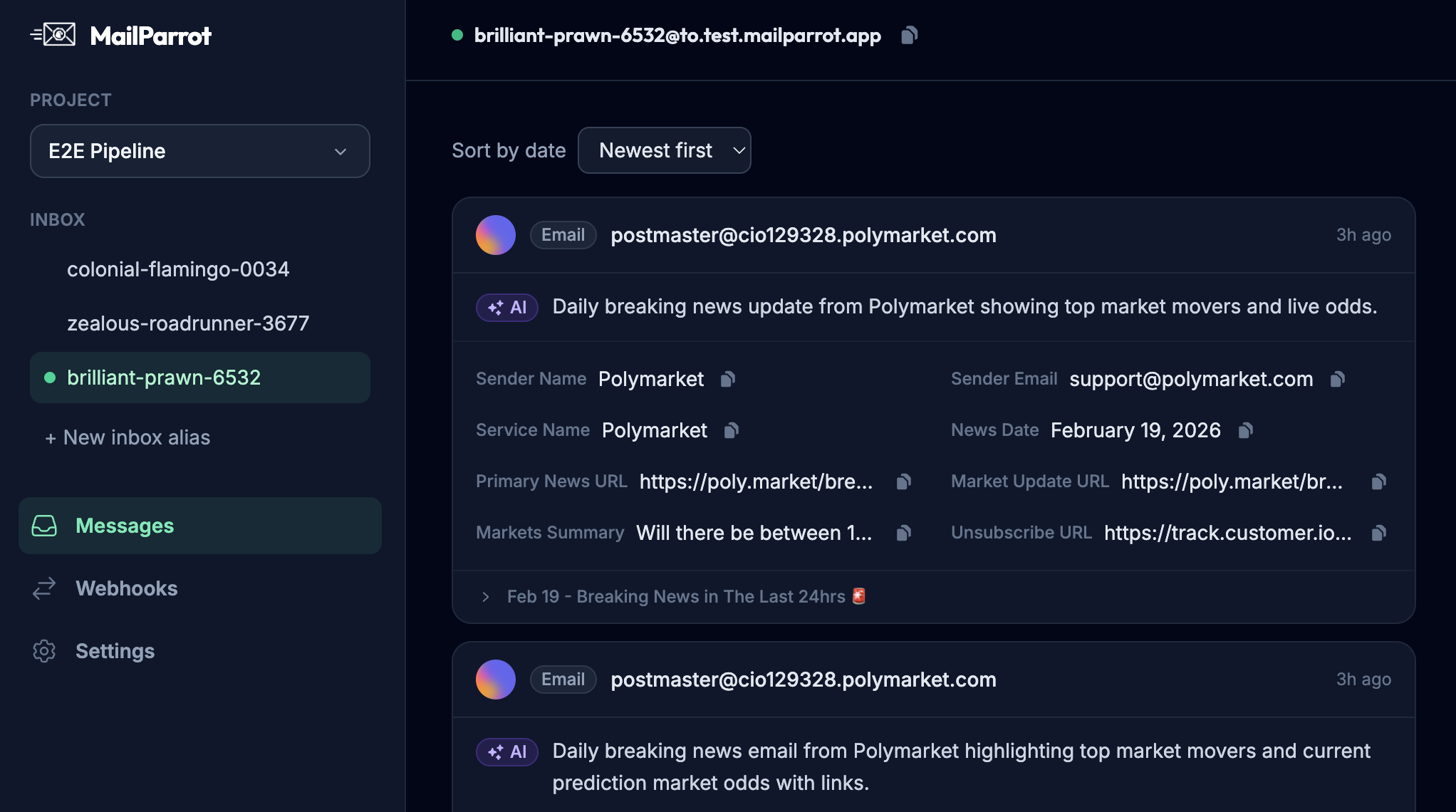
If you’re curious about how to get started or want a test inbox service built specifically for developers and CI, check out MailParrot-an email testing inbox API designed exactly for this purpose.
Ready to unblock your tests and pipelines?
1,000 free credits with every account-no card required. They don’t expire.
Get started for free