How Developers Can Extract OTPs Without Brittle Regex
Kieran Goodary
Why is relying on brittle regex a problem for OTP extraction?
We all love regex-except when it lets us down. Extracting one-time passwords (OTPs) from emails is a classic use case where regex patterns quickly become brittle and unreliable. Why? Because email content varies wildly. A slight change in format, extra whitespace, new words, or unicode characters can break your regex, leading to failed tests or worse: bad user experiences.
Regex tends to be fragile because it's tightly coupled to the email format. For example, a pattern like \b\d{6}\b assumes the OTP is exactly six digits standing alone. If the email says "Your OTP is: 123 456" or "Use code 123456-7", suddenly that regex fails or matches incorrectly. Moreover, different services and teams format their OTP emails differently, making universal regex even harder.
In CI/CD pipelines where tests must be reliable and repeatable, flaky OTP extraction is an unnecessary headache. When your regex breaks, your test fails, leading to noisy alerts and wasted developer time hunting down what’s wrong. So, relying solely on regex is not just annoying; it’s a liability.
What alternatives exist to brittle regex for OTP extraction?
Good news: you don’t have to rely on fragile regex to extract OTPs from emails. Several strategies provide more robust, scalable, and maintainable OTP extraction:
-
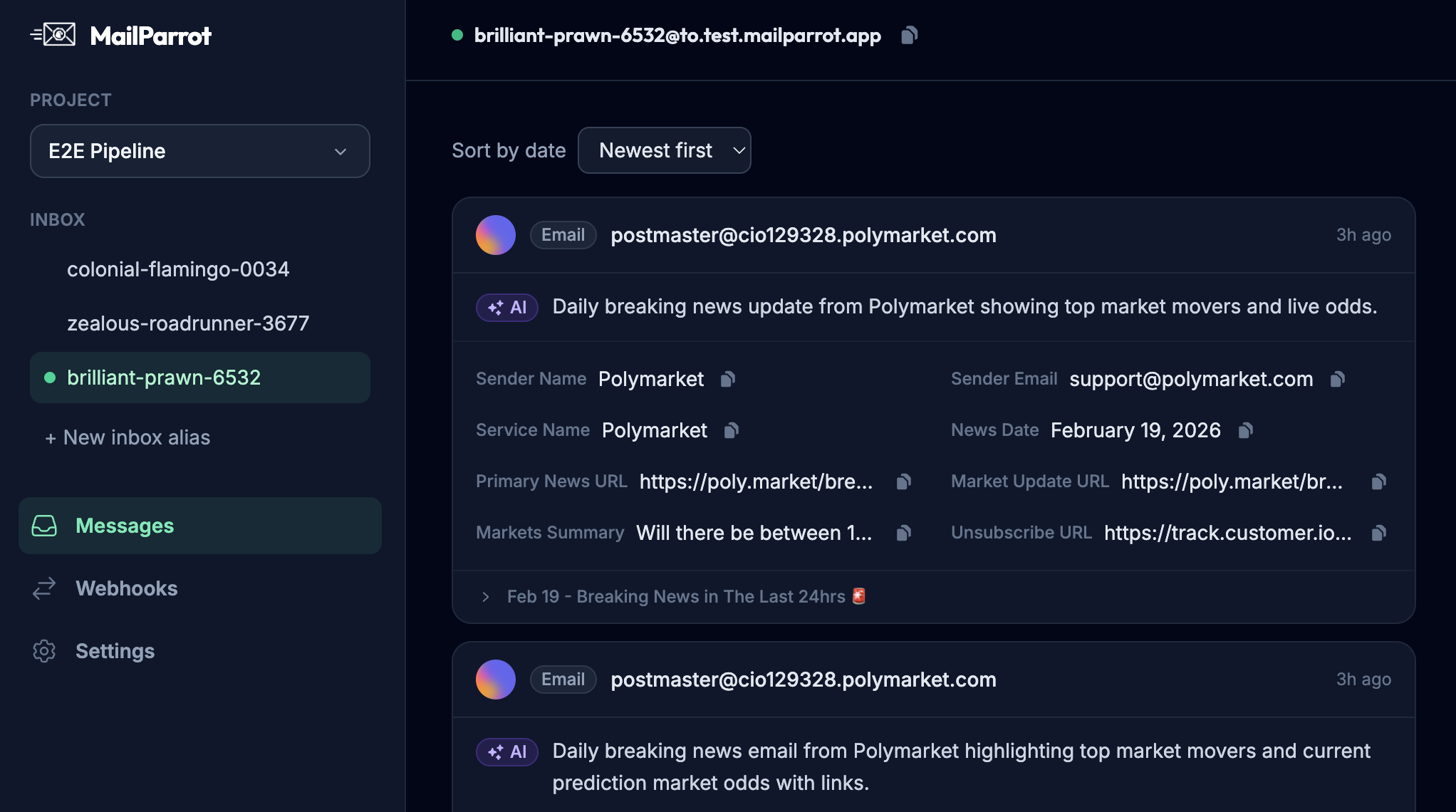
Structured APIs to read inbox contents: Using email testing inbox APIs (like MailParrot, MailSlurp, or Mailosaur) gives programmatic access to parsed email data (subject, body, attachments) instead of raw text blobs. These APIs often provide HTML and plain text versions, making parsing easier.
-
Semantic pattern matching with libraries: Some libraries specialize in extracting OTPs by understanding email structure rather than raw regex. For example, they parse the email into chunks and apply logical checks (e.g., digits inside a "code" section).
-
Machine learning models: Advanced teams train models to spot OTPs based on context, though this approach is usually overkill for most development teams.
-
Dedicated OTP extraction features: Modern testing inbox services often include built-in OTP extraction endpoints or methods that understand common OTP formats and can be customized.
How can programmatic inbox APIs help make OTP extraction reliable?
Programmatic inbox APIs, designed for developers, make OTP extraction practically boring-in a good way. Instead of wrestling with regex, you get:
-
Direct access to parsed email content: These APIs deliver the email body split by type (HTML, plain text), header info, and sometimes even pre-extracted data like links or codes.
-
Webhook notifications: Instantly know when new emails arrive, so your tests or processes can react faster.
-
Search and filter capabilities: Easily find the latest OTP email by sender, subject, or time without digging through a Gmail inbox shared by many people.
-
Isolation: Each test or session can get a fresh, disposable inbox with no cross-talk - no more shared Gmail with mysterious emails polluting your data.
Here’s a simple example using a fictional API to extract an OTP:
// Pseudocode
const email = await inboxApi.getLatestEmail({from: 'no-reply@example.com'});
const otp = email.extractOtp({length: 6}); // Uses built-in extractor, no regex needed
console.log(`OTP is: ${otp}`);
This approach is much less brittle than crafting custom regex every time the email format changes.
Can OTP extraction be fully automated as part of CI/CD pipelines?
Absolutely-and it should be. End-to-end tests of authentication flows depend heavily on OTP extraction. When your tests can programmatically grab the OTP and proceed automatically, it means fewer manual steps, faster feedback, and more reliable deployments.
Best practices for integrating OTP extraction in CI/CD include:
-
Spin up disposable inboxes dynamically: Each run gets a clean inbox unrelated to past runs. This avoids test data collisions and flaky results.
-
Use webhooks or polling to detect incoming OTP emails promptly: Speed matters, especially in test timeouts.
-
Use API methods to extract OTPs instead of regex: As discussed, avoid brittle patterns.
-
Fail early and provide clear errors: If OTP extraction fails, your tests should log clear messages, not just timeout mysteriously.
-
Parameterize OTP extraction rules based on the email format: For systems with variant formats, customize extraction logic in code, but preferably not regex.
By automating this end-to-end, your team can confidently evolve authentication methods (e.g., switching to MFA flows) without breaking tests.
Why is shared Gmail a bad idea for developer email testing?
Developers often default to using a single shared Gmail account for automated tests. It’s familiar, easy, and free... but also a hot mess.
Here’s why shared Gmail setups become flaky and frustrating:
-
Cross-test interference: Multiple test runs may pick up the wrong OTP email.
-
Manual inbox cleanup needed: Tests accumulate emails, and histories get cluttered.
-
Rate limits and CAPTCHA challenges: Gmail doesn’t like automated traffic from unknown IPs and can block or slow down access.
-
Brittle page scrapers: Some automation hacks read Gmail through the web UI, which breaks frequently with UI changes.
-
Security risks: Sharing credentials among teams is a bad practice.
In contrast, disposable inbox APIs provide isolated, short-lived inboxes with clean state every run-much better suited to automated testing.
How to make email verification and OTP handling boring yet reliable?
Yes, boring is good here. Email verification and OTP handling should be stable, testing-friendly, and not headline-grabbing.
To get there:
-
Use disposable inbox APIs for all email testing needs. They’re designed for this use case and remove many manual pain points.
-
Avoid regex hacks for OTP extraction; lean on proven API features or libraries.
-
Automate end-to-end flows in CI/CD pipelines: Your future self will thank you when tests run seamlessly.
-
Monitor OTP extraction failures and adjust extraction logic pragmatically: Emails evolve; so can your extraction.
-
Document OTP formats your system uses: Make changes explicit rather than guessing.
-
Consider fallback strategies: Timeout gracefully; surface clear error messages.
By investing upfront-infrastructure and tooling-you make mundane parts of auth flows robust and boringly reliable, freeing teammates to focus on interesting problems.
Conclusion
Extracting OTPs from emails is a classic pain point that too often leads to brittle regex hacks and flaky tests. By embracing programmatic disposable inbox APIs and avoiding raw regex, developers can build robust, maintainable OTP extraction that seamlessly integrates with CI/CD pipelines. Say goodbye to flaky regex and unreliable Gmail hacks-embrace boring, solid tools that just work.
For a practical starting point, check out MailParrot's API and similar services that deliver structured inbox data and built-in OTP extraction. Your next build might not thank you with fireworks-but it will run reliably every time, which is way better.
Ready to unblock your tests and pipelines?
1,000 free credits with every account-no card required. They don’t expire.
Get started for free