How Disposable Email Addresses Protect Your Real Inbox
Kieran Goodary
What exactly is a disposable email address?
A disposable email address is a temporary, throwaway email that you can use instead of your real inbox. Think of it as a digital mask-a unique address you hand out when signing up for something sketchy, using a free trial, or just testing a product. After its job is done, you discard it without worrying about spam, phishing, or your main email becoming a dumping ground for newsletters you'll never read.
Unlike your usual email (which you use for work, friends, or important accounts), disposable emails often exist for a limited time and can be programmatically generated and destroyed. They’re not necessarily anonymous or permanent-just conveniently ephemeral.
Why should normal people even care about disposable email addresses?
At first glance, your email inbox might seem like just another online account. But your email is a primary gateway to your digital life-password resets, financial notifications, personal communications-so keeping it clean and secure is more important than you might realize.
Here’s where disposable emails shine for everyday users:
-
Privacy Guardrails: Avoid handing out your real email to every website or app. Disposable emails serve as a buffer, preventing companies from collecting your long-term contact info or tracking you across platforms.
-
Spam Prevention: The internet is full of sign-ups offering dubious freebies or requiring email verification. Using a disposable inbox means you're never stuck sorting through spam or unwanted newsletters from a service you only tried once.
-
Try Before You Trust: Want to test a new app or website’s signup flow without committing? Throw a disposable email at it and keep your main inbox pristine.
-
Easier Management: With a disposable address, you can control how long you want to receive emails, effectively shutting off communications when you’re done.
In short, disposable emails let you interact with online services on your own terms without jeopardizing your real inbox.
How do disposable emails help product and engineering teams?
Engineers and product teams handle email in a very different context. For them, disposable inboxes are crucial for building, testing, and maintaining reliable user authentication and communication flows. Here’s why:
-
Reliable Testing: Creating test accounts that trigger email workflows gets messy when you rely on real inboxes shared across teams (usually a Gmail alias someone else controls). Disposable inboxes eliminate collisions and confusion by offering fresh, isolated mailboxes for each test.
-
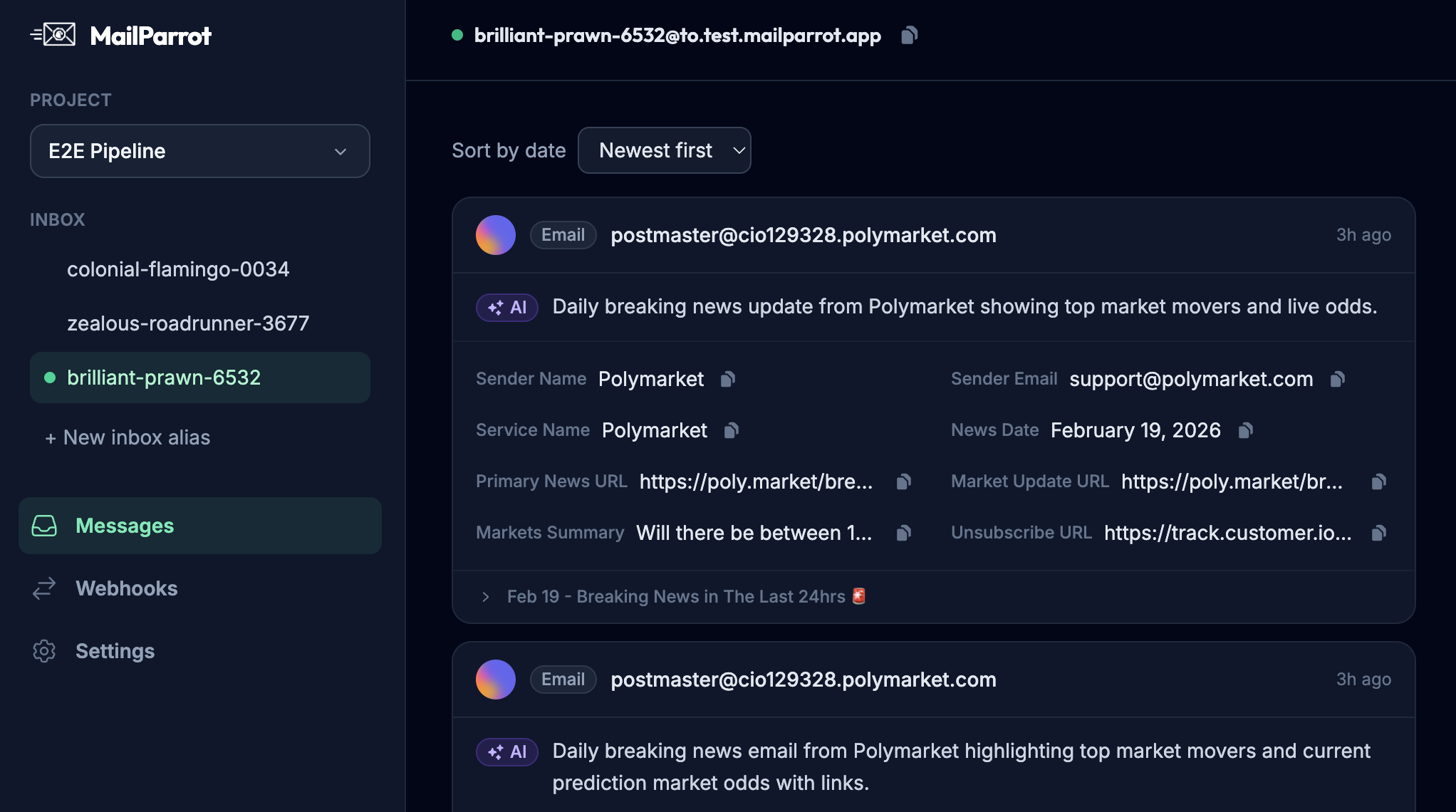
CI/CD Friendly: Automated testing pipelines need programmatic access to inboxes to verify emails were sent, links work, and OTPs (one-time passwords) are valid. Disposable inbox APIs integrate with tests, returning message bodies and OTPs in real time-no more manual inbox checking.
-
End-to-End Flow Validation: Signup, password resets, and multi-factor authentication flows often depend on timely and accurate emails. With disposable addresses, testing these flows becomes straightforward, deterministic, and repeatable.
-
Avoiding Regex Hell: Extracting codes and links from emails using fragile regular expressions can be frustrating and break if email template changes. Good disposable inbox services offer clean OTP extraction built-in, reducing flakiness.
-
Security and Isolation: Using disposable inboxes prevents test data or real user emails leaking between development, staging, and production environments.
In essence, disposable email addresses keep the engineering side sane, scalable, and secure when dealing with everything email-related.
Why is using shared Gmail accounts or your personal email for testing a bad idea?
If you’ve ever been part of a dev team that uses a shared Gmail inbox for testing signup flows or extracting OTPs, you know how quickly things can spiral out of control:
-
Collisions and Conflicts: Everyone sharing the inbox notices test messages arriving at random times, making it hard to know which test triggered which email.
-
Manual Work: Someone has to open the inbox and manually hunt for the right email, then copy-paste verification codes back into the test run.
-
Security Risks: Shared inboxes might contain sensitive info or real user data. Mixing test emails with real communication is a recipe for disaster.
-
Brittle Parsing: Using regex to extract codes from varying email formats leads to fragile tests that break routinely, adding maintenance overhead.
-
Limited Scalability: As the team grows or tests become more complex, a single shared inbox just can’t keep up.
Disposable email addresses, especially those available via API, sidestep all these issues by giving each test or user their own sandboxed inbox.
How do disposable email addresses actually protect your real inbox from spam?
Spam isn't going away anytime soon. Every time you sign up for a service-even if you think it’s trustworthy-you’re exposing yourself to the risk of unwanted newsletters, third-party marketing, or outright malicious emails.
Disposable emails act like decoys:
- When you want to try out a new website, you use a disposable address.
- If that website decides to sell or share your email, the spam lands in the disposable inbox, which you'll throw away later.
- Your real email stays off the radar of spammers and marketers.
Because you control the lifetime of disposable addresses, you can enjoy a spam-free main inbox and avoid the headache of manually unsubscribing or filtering unwanted emails.
Can disposable emails improve your online privacy?
Absolutely. Email addresses are often used to track you online and build profiles for targeted advertising or worse. Using a disposable email address:
- Prevents websites from linking your signup to your real identity or other accounts.
- Limits data leakage if a service suffers a breach-your real email remains safe.
- Makes it harder for bad actors to phish your primary address.
Disposable emails are an easy privacy layer you can add without installing fancy VPNs or tirelessly managing spam filters.
How do developers extract OTPs and manage authentication flows with disposable inboxes?
Multi-factor authentication flows commonly send one-time passwords via email. Testing these flows manually or with unreliable inboxes is a time-sucker and error-prone.
Using disposable inboxes with programmatic APIs lets your test suite:
- Create random email addresses on the fly.
- Wait for the email with the OTP to arrive.
- Extract the OTP automatically without complex regex through API helpers.
- Inject the OTP back into the test to validate login flows.
This automation ensures your authentication mechanisms work correctly before reaching real users, improving security and reliability.
What are the limitations or caveats of disposable email addresses?
They’re not perfect. Here’s what to keep in mind:
-
Some websites block disposable emails: To prevent abuse, sites sometimes blacklist known disposable domains-don’t expect them to work everywhere.
-
Not for important accounts: Since disposable addresses may be ephemeral, don’t use them for banking, professional communication, or long-term services.
-
Not inherently anonymous: Unless combined with VPNs or privacy tools, disposable emails alone won’t shield your IP or identity.
-
Risk of losing access: If you discard an address too soon, you can miss important emails like password resets.
Use them wisely as a complementary privacy and testing tool-not a silver bullet.
How to get started with disposable inboxes for testing and personal use?
If you’re a developer or tester, look for disposable inbox APIs that offer:
- Unique, isolated inboxes on demand.
- API access for fetching messages and extracting OTPs.
- Webhooks and event-driven notifications to integrate with CI/CD.
For personal use, try services that provide easy-to-use disposable addresses without sign-up, or those that integrate with your browser.
Some tips:
- Use descriptive addresses if supported (e.g., yourapp-test-123@mailparrot.example).
- Manage inbox lifetime explicitly.
- Combine with solid email filtering for your main address.
Final thoughts: Why making email verification boring is actually a good thing
Email workflows-signups, verifications, password resets-are critical but deeply unglamorous. When they work flawlessly, nobody notices. This is exactly the goal.
Disposable email addresses, especially with developer-friendly APIs, shift the pain from manual inbox hunts and flaky regex into reliable automation. They protect your main inbox from junk and help you build better products faster.
By adopting disposable inboxes, you reclaim your time, improve security, and maybe even get to enjoy inbox zero more often. That’s worth being a little boring about.
Ready to unblock your tests and pipelines?
1,000 free credits with every account-no card required. They don’t expire.
Get started for free