Keeping Staging and Production Email Flows Separate: A Practical Guide
Kieran Goodary
Why should you keep staging and production email flows separate?
Mixing staging and production email flows is like mixing vodka and orange juice-possible but often leads to a mess you didn’t intend. When you’re developing or testing, sending real emails to real users (or worse, test emails to their inboxes) can cause confusion, privacy issues, and even security risks. Keeping these environments separate means you maintain control, reduce noise, and avoid accidental spamming.
If you’ve ever accidentally signed up with a test account and received verification or marketing emails, you know it’s no fun. From a developer and product standpoint, separating email flows means you can run reliable end-to-end (E2E) tests without worrying about contaminating real user data or flooding inboxes with junk.
How do disposable inboxes help keep these email flows separate?
Disposable, or burnable, inboxes are the backstage pass for your testing environment. Instead of sending test emails to personal or shared inboxes, which risks clutter and confusion, disposable inboxes give you temporary, isolated email addresses. They let your staging environment send, receive, and even parse emails safely.
By programmatically managing these inboxes, you can hook into your CI/CD pipelines, automatically extracting OTPs or verification links without human intervention. This automation is golden when you’re running tests that depend on receiving emails reliably.
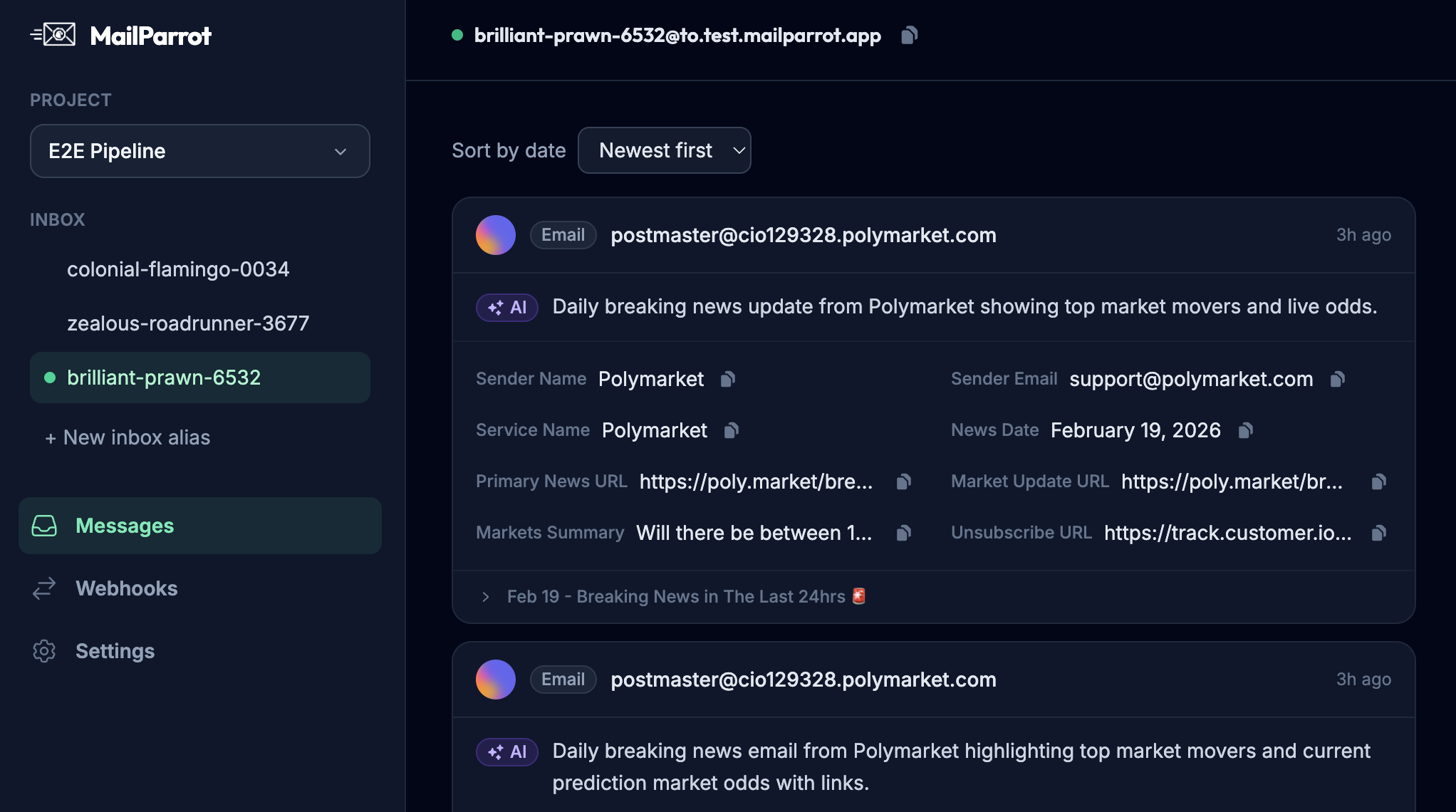
MailParrot, for instance, provides an API to spin up disposable inboxes on-the-fly, capture emails instantly, and send webhooks when new messages arrive-all without touching your production mailbox. This ensures pure separation and makes debugging a hell of a lot easier.
Can't I just use a shared Gmail or email alias for testing?
Short answer: yes, but you really shouldn’t. Using shared Gmail accounts or aliases might seem convenient. But the reality is these inboxes come with baggage:
- Shared mailboxes are noisy: Multiple developers or teams send test emails; messages pile up, and relevant emails get lost in a sea of threads.
- Brittle regex extraction: When you rely on parsing emails in a shared mailbox, you often write fragile regular expressions. One small change in email formatting and your OTP extraction scripts break.
- Security risks: Shared credentials mean more people have access. If your test environment email handles sensitive info (e.g., password resets), leaks are a concern.
- Lack of automation: Integration with CI/CD is tricky without programmatically controlled inboxes.
In contrast, disposable inbox APIs let you create fresh, dedicated inboxes per test run, with zero risk of interference-and without scrambling through a shared inbox.
How can you implement email flow separation in your staging environment?
The trick is to configure your system so that staging doesn’t accidentally send emails to real users, and production doesn’t get hampered by test data. Here’s a practical approach:
-
Use environment-specific email domains: For staging, use email domains you control or subdomains dedicated to testing. For example, use
test.yourapp.comwith inboxes likeuser1@test.yourapp.com. -
Point staging inboxes to disposable inbox APIs: Instead of real mailboxes, connect staging to services like MailParrot. This way, emails behave like real messages but live in a controlled space.
-
Separate SMTP servers or credentials: Use different SMTP settings for staging and production so that sending mail is isolated.
-
Block sending marketing emails from staging: Make sure transactional emails can be tested without turning on marketing campaigns that would spam your test users.
-
Automate extraction of OTPs and verification links: Use APIs and webhooks to grab data directly, avoiding manual checking and flaky parsing.
-
Add safety checks in code: For instance, prevent staging environments from sending emails to domains outside your control unless specifically allowed.
-
Log everything: Keep detailed logs of email sends and receives, so you can troubleshoot without digging through user inboxes.
How does this benefit continuous integration and deployment (CI/CD)?
When email flows are well separated, your CI/CD pipelines get a lot healthier. Imagine every time a developer pushes code or merges a branch, your tests include clicking email verification links, receiving OTP codes, or simulating password resets. Doing this reliably means your test automation can fully cover the user signup and authentication journeys.
Disposable inbox APIs let your test runners create inboxes on demand, send emails to those inboxes, and parse responses-all without manual setup or shared infrastructure. The end-to-end tests become stable and repeatable, rather than flaky and dependent on external factors.
Moreover, webhooks can notify your test suite immediately when an email arrives, making tests faster and more deterministic.
What are common pitfalls to avoid?
- Sending real emails from staging: This can confuse users and pollute analytics.
- Not securing disposable inboxes: Even test inboxes should be private and isolated.
- Hardcoding inboxes in test scripts: This makes scaling impossible; dynamic inbox creation is better.
- Ignoring rate limits: Disposable inbox APIs usually have limits-plan your tests accordingly.
- Relying on email content structure without robust parsing: Email formats can vary; use libraries or structured payloads when possible.
How can you make email verification boring and reliable?
Most users don’t want a flashy email verification experience-they want it quick and error-free. Likewise, tests want predictable email content and flows. The key is consistency and automation:
- Use simple, clear email templates with consistent structure.
- Avoid embedding fragile or user-facing links that can change.
- Programmatically generate and extract OTP codes, avoiding human copy-pasting.
- Include metadata or hidden markers in emails to help parsing.
- Monitor email delivery and bounce rates actively.
By making email verification predictable, you reduce manual interventions in tests and production troubleshooting.
In summary
Keeping staging and production email flows separate isn’t just best practice-it’s developer sanity and user respect rolled into one. Disposable inboxes and inbox APIs like MailParrot make this achievable with minimal fuss.
They help normal users by protecting privacy and preventing accidental emails during testing. For product and engineering teams, they unlock robust automated tests, safer deployments, and reliable OTP extraction.
If your current email testing feels fragile, or you’re worried about accidental emails reaching real users, it’s time to think about separation. Set up controlled, disposable inboxes for staging, keep production flows pristine, and make your email workflows boringly reliable.
Because when it comes to email flows, less drama, more automation wins every time.
Ready to unblock your tests and pipelines?
1,000 free credits with every account-no card required. They don’t expire.
Get started for free