Why Burnable Inboxes Beat Shared Gmail for Testing
Kieran Goodary
Why do teams often use shared Gmail accounts for email testing?
It’s common to find engineering teams or QA groups juggling one or more shared Gmail accounts when testing email-related features. The appeal is obvious: Gmail is free, familiar, and easy to set up. Everyone can log in, see test emails, and verify flows manually. At face value, it seems like a perfectly reasonable approach.
But the catch is that shared Gmail accounts for testing come with a basket of hidden headaches. The accounts tend to get overloaded, shared passwords have to be managed (or worse, shared over Slack), and the web interfaces aren’t designed for automated testing. In short, while convenient, shared Gmail isn’t built for this purpose.
What problems arise from using shared Gmail accounts in testing?
1. Reliability and Consistency: Shared Gmail inboxes often accumulate hundreds or thousands of emails from test runs, legitimate messages, and even spam. This noisy inbox makes it tough to isolate the emails you need for a particular test. Manual clearing or sorting becomes a time sink.
2. Manual Intervention: Manual login through the Gmail web interface is generally required to check emails. Automating this is challenging since Gmail has complex anti-bot protections and fluctuating HTML structures. Writing brittle scrapers or relying on the Gmail API introduces extra complexity.
3. Security and Privacy Risks: Passwords are shared among team members or even across teams. This practice introduces risks, especially if those credentials leak or are reused elsewhere.
4. Difficult OTP and Link Extraction: Extracting One-Time Passcodes (OTPs) or dynamic verification links via code is cumbersome. Relying on email forwarding or manual copy-pasting is inefficient and error-prone.
5. No Integration with CI/CD: Shared Gmail accounts aren’t really designed to plug seamlessly into CI/CD pipelines. They can easily cause race conditions if multiple test runs check the same inbox simultaneously.
How do burnable (disposable) inboxes solve these issues?
Burnable inboxes, also known as disposable or temporary inboxes, are purpose-built for ephemeral email usage. They let you create a unique, programmatically accessible inbox on demand, use it for testing, and then discard it.
Key advantages include:
- Isolation: Every test or test suite gets its own inbox. No noisy overlapping with others' emails.
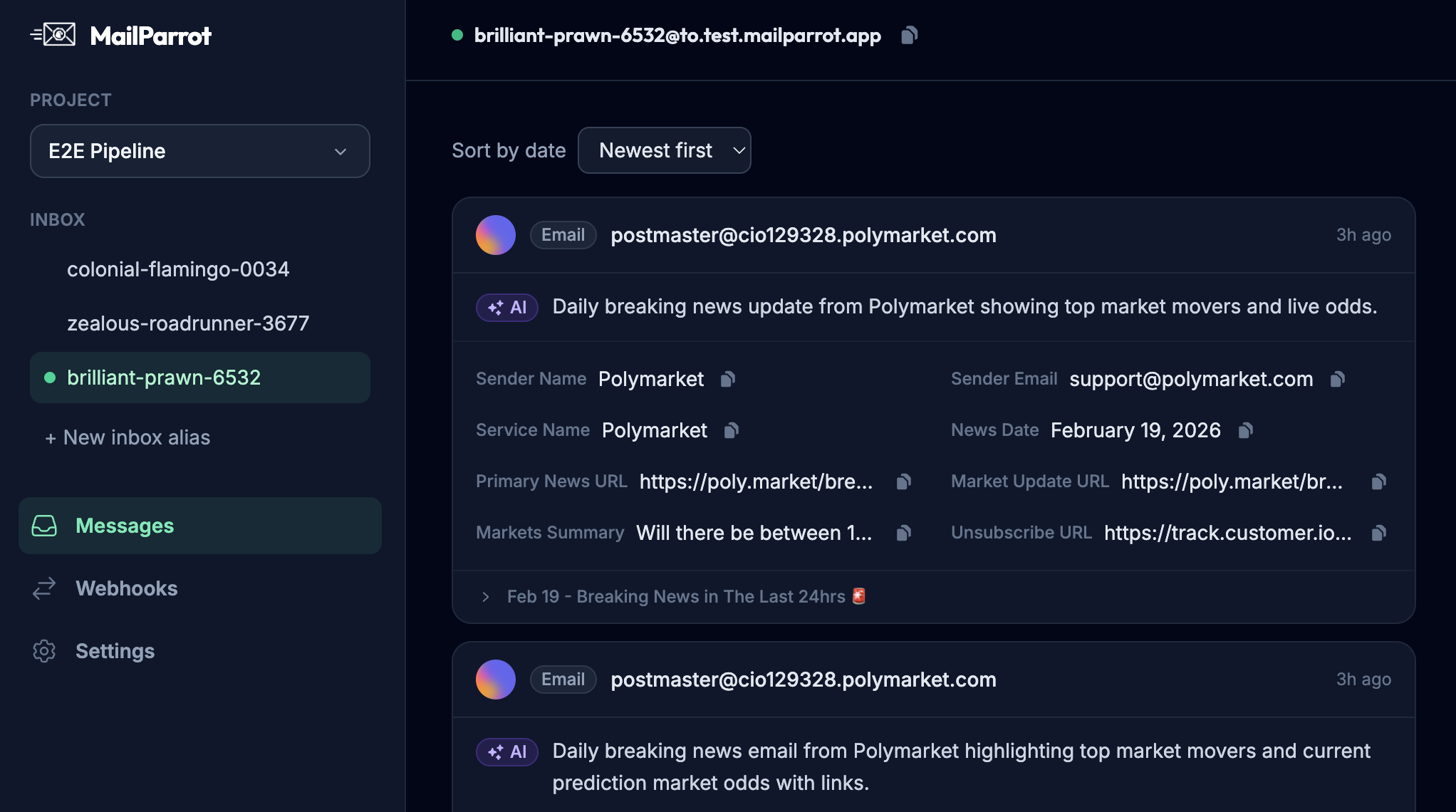
- Programmatic access: APIs expose email lists, individual messages, and even parsed data like OTPs or links.
- Automated cleanup: Because they're disposable, you don’t have to clear the inbox manually – they expire, avoiding pollution.
- No password management: Usually no login is required; access control is via API tokens.
- Better security: No shared credentials, so less risk of leaks.
Can burnable inboxes be integrated into automated CI/CD pipelines?
Absolutely. This is where disposable inbox APIs shine. They allow tests to generate unique inbox addresses on the fly, receive emails, and extract required content programmatically.
In a typical flow:
- Automated test creates a new disposable inbox address.
- The application under test sends verification or OTP emails to that address.
- Test code queries the inbox API, fetches messages, and extracts relevant tokens, links, or contents.
- The test proceeds to verify the flow on the frontend or backend.
This approach eliminates flakiness caused by race conditions or leftover emails from prior tests. Because each inbox is fresh and dedicated, you gain deterministic test environments.
Why is OTP extraction easier with a disposable inbox API compared to Gmail?
With Gmail, automating OTP extraction usually means parsing raw email content via the Gmail API or web scraping. This requires brittle code due to Gmail’s complex HTML and spam filtering.
Disposable inbox APIs often provide:
- Structured email data: Bodies are plain text or pre-parsed HTML.
- Search and filter functionality: Quickly locate the latest OTP or specific emails.
- Webhook support: Push notifications when emails arrive, enabling event-driven tests.
This means your test code spends less time wrestling with email formats and more time testing actual app logic.
What about privacy and compliance considerations?
If your test emails contain user data or sensitive tokens, using disposable inboxes keeps risks lower since these inboxes expire automatically and isolate messages. No shared accounts mean no accidental snooping by unrelated team members.
Gmail, on the other hand, can accumulate test data long term, increasing exposure risk and possibly violating internal compliance rules.
Are burnable inbox services cost effective?
Many disposable inbox APIs offer tiers ranging from free to paid plans, depending on volume and feature needs. Compared to the hidden costs of lost test time, flaky failures, and security risks inherent in shared Gmail setups, the cost generally justifies itself.
Plus, time saved on test maintenance and setup unlocks developer hours for more impactful work.
How do developers avoid brittle regex when extracting tokens from emails?
Regex-based token extraction from unstructured email text is notoriously error prone. Email layouts or content may shift, breaking patterns. Plus, it’s not scalable.
Disposable inbox APIs improve on this by providing structured message data or allowing you to embed markers in emails that are easy to locate programmatically (like JSON blobs, or standardized email templates).
Some APIs also let you register webhook filters to parse and extract tokens in real-time, sidestepping regex hell.
What are the best practices for using disposable inboxes in tests?
- Generate unique inboxes per test run: Avoid shared addresses to prevent collisions.
- Use API calls or webhooks rather than UI scraping: This makes tests more stable.
- Automate OTP and link extraction using structured data: Avoid manual copy-paste.
- Clean up after tests: Either rely on expiry or programmatic deletion.
- Treat disposable emails as test data with proper security awareness: Don’t send production secrets there.
Can burnable inboxes be used beyond testing?
Yes! They also help users who want to sign up for trials or newsletters without giving out their real email, protecting privacy and reducing spam. But that’s another story.
Summary
Shared Gmail inboxes for testing are a relic. They bring simplicity but at the cost of reliability, security, and automation headaches.
Burnable, disposable inboxes made accessible via modern APIs eradicate those issues by offering isolated, ephemeral, and programmatically accessible emails.
If you are serious about making email verification, OTP testing, and end-to-end flows boringly reliable and easy to integrate into your CI/CD pipelines, it's time to ditch shared Gmail and embrace disposable inboxes.
Your tests (and inbox sanity) will thank you.
Ready to unblock your tests and pipelines?
1,000 free credits with every account-no card required. They don’t expire.
Get started for free