Why CI/CD Pipelines Need Dedicated Test Inboxes for Reliable Email Testing
Kieran Goodary
Why do CI/CD pipelines need email testing at all?
Continuous Integration and Continuous Deployment (CI/CD) pipelines are all about making software delivery faster and more reliable. But apps frequently rely on emails-for sign-ups, password resets, two-factor authentication (2FA), notifications, you name it. If your pipeline runs tests that cover these email-driven features, it needs a way to interact with those emails programmatically.
Without email testing integrated, you’re flying blind. Your UI might confirm emails were sent, but did the user actually receive the OTP? Did the verification link work? Did the email content match the latest copy or design? Automated tests that skip over email flows risk shipping broken functionality.
In short, email testing in CI/CD is not a "nice-to-have"; it’s essential for verifying the full user journey.
Can’t I just use shared Gmail accounts or real inboxes?
Ah, the classic tempting shortcut: grab a Gmail, Outlook, or even a company email, and wire your tests to check messages there. It sounds simple but quickly becomes a house of cards.
First, shared inboxes invite race conditions and test flakiness. Multiple tests may run in parallel on the same inbox, tripping over each other’s messages. One test reads another’s OTP, or worse, deletes emails needed for a different test run, causing hard-to-debug failures.
Second, relying on real email providers introduces external dependencies-SMTP delays, rate limits, spam filters, and provider UI changes-all potential pipeline killers.
Third, parsing real email content with brittle regexes is a nightmare. Email formatting varies, HTML parts or text-only views can differ, and templates often change independently of tests.
Long story short, shared Gmail and real inboxes make your tests flaky, slow, and fragile. Not what you want in a pipeline meant to be fast, repeatable, and reliable.
What are dedicated test inboxes, and how do they help?
Dedicated test inboxes are programmatically generated email accounts designed strictly for automated testing. They’re often ephemeral or burnable-created at test runtime, used for a single session, and discarded after.
Why are they better?
- Isolation: Each test gets its own inbox, eliminating cross-test contamination.
- Predictability: Tests know where to look for emails, and inboxes don’t accumulate noise.
- Speed: APIs tailored for automated inbox access let tests fetch emails instantly, unlike polling real providers with delays.
- API-First Design: Email content, attachments, and metadata are accessible programmatically via clean JSON, avoiding fragile scraping or regex parsing.
- Webhook Support: Some services push emails to your test system in real-time, reducing polling overhead.
In the context of CI/CD, dedicated test inboxes turn email testing from a flaky afterthought into a robust, atomic step in your pipeline.
How does OTP extraction fit into test inbox usage?
One common use case is verifying one-time password (OTP) workflows, central to onboarding, password resets, and 2FA.
Enterprises often send OTPs via email, and your UI tests must confirm that the OTP arrived and was usable for authentication.
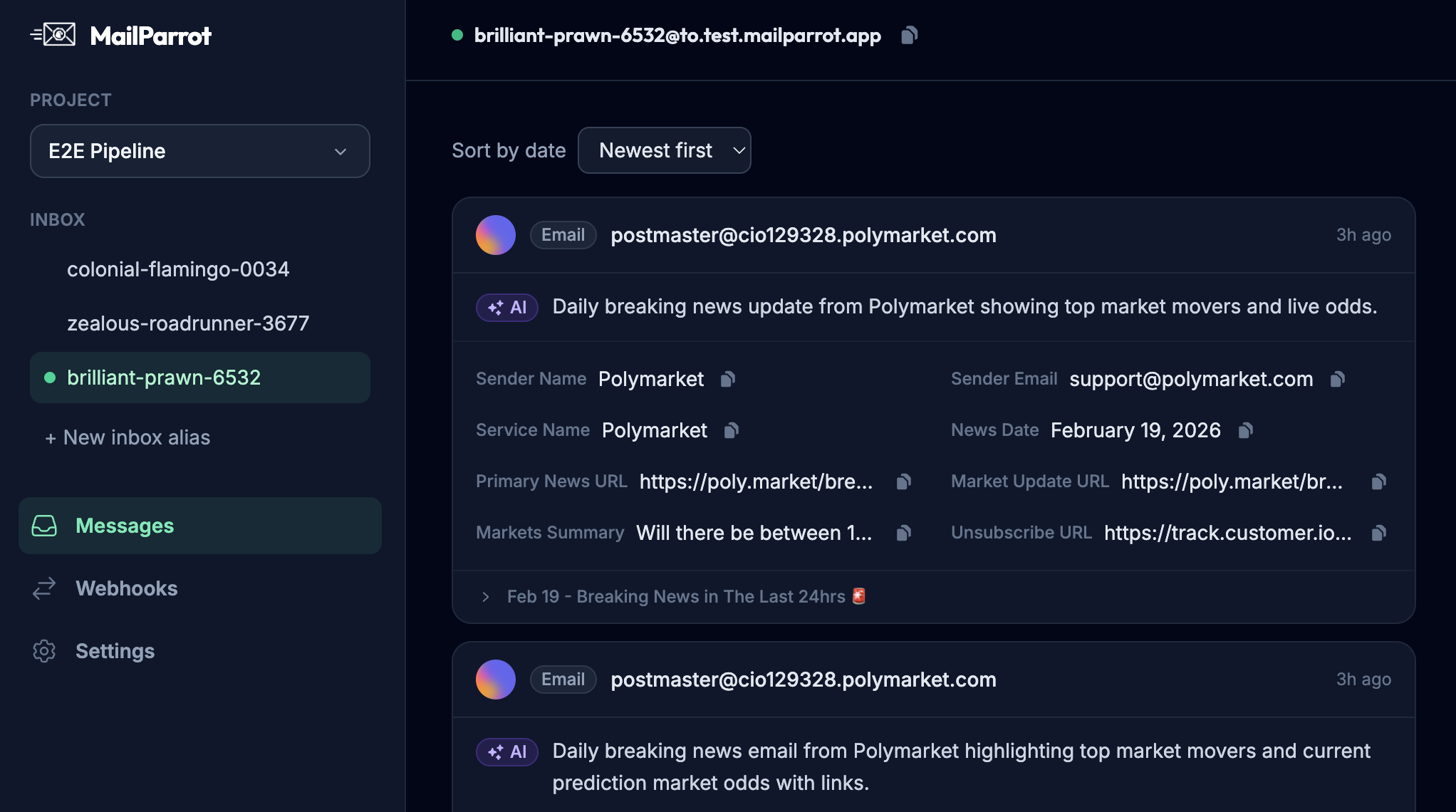
With dedicated test inboxes, it’s trivial to programmatically retrieve the latest message, extract the OTP using structured data or well-designed parsing tools, and feed it back into the test script.
This differs drastically from screen-scraping Gmail or parsing random email formats. The tight coupling of inbox API and test code reduces flakes and makes the whole process fast and predictable.
How do dedicated test inboxes improve end-to-end (e2e) testing in CI/CD?
E2E tests verify complete user journeys, often spanning multiple systems and steps. Email verification is a key part-for example, clicking a verification link sent post sign-up.
By integrating test inboxes directly into your pipeline, you can automate:
- Email receipt
- Parsing and data extraction (verification URLs, tokens, QR codes)
- Simulating user clicks (via HTTP requests or browser automation)
- Confirming successful flows
This is a massive step up from manual email checks or starring YAML files to "fix later".
The result? Your pipeline tests a real user experience in an automated fashion. You catch regressions early and avoid embarrassing breaks in production.
Why do brittle regexes and scraping techniques fail in email testing?
Emails are not simple text files. They can be multipart MIME messages, HTML with inline CSS and images, or plain text with varying formatting.
Relying on regex to parse OTPs or links directly from raw email text is a recipe for brittleness:
- Minor changes in email templates break your regex.
- Different email clients or server encodings affect formatting.
- Spam or security filters can inject unexpected headers or content.
Dedicated test inbox APIs instead provide parsed, structured access to email content. You get the exact field (subject, body text, HTML, attachments) you need without messy parsing.
Plus, well-built systems provide helpers to extract common data points like OTPs or URLs, so your tests look cleaner and are easier to maintain.
What are the risks of not using dedicated test inboxes in CI/CD?
Here’s what can go wrong if you ignore dedicated inboxes:
- Flaky builds: Tests intermittently fail when emails don’t arrive on time or inboxes get cluttered.
- Slower pipelines: Waiting on real email providers introduces unpredictable delays.
- Risk to privacy: Using shared inboxes with real-world emails risks leaking credentials or test data.
- Maintenance overhead: Regexes and hacks to parse emails become fragile and costly to fix.
- Incomplete coverage: Skipping email flows because they’re "hard to test" creates blind spots.
Using proper test inboxes addresses all these headaches and saves your team time.
How to integrate dedicated test inboxes into your existing pipeline?
Most modern test inbox providers expose simple APIs and SDKs.
Typical integration steps:
- Provision an inbox: Programmatically create or allocate an inbox when a test or test suite begins.
- Trigger flows: Run UI or API tests that cause emails to be sent to that inbox.
- Poll or listen: Use API calls or webhooks to obtain incoming email data.
- Extract data: Parse OTPs, links, or content directly from structured message objects.
- Continue tests: Feed extracted data back into automated flows.
- Cleanup: Optionally delete the inbox or its contents after tests complete.
With this flow, email becomes just another test data source, no different from a REST API or a database.
What about privacy and compliance with disposable inboxes?
Test inboxes often deal with dummy data or ephemeral messages, reducing exposure to personal data and security risks.
Because they’re isolated and short-lived, they align well with privacy best practices. Use dedicated email domains controlled by your test infrastructure, and avoid routing real user data through them.
Disposable inboxes also prevent cluttering real team inboxes with test noise, helping comply with organizational policies.
Can dedicated test inboxes help non-engineers or end users?
While primarily a developer and engineering tool, disposable inboxes also benefit product managers, QA teams, and occasionally end users doing trials or sign-ups.
They let you share quick throwaway emails for demos or experiments without polluting real inboxes or risking privacy.
They provide a straightforward way to test sign-up flows, email notifications, and OTPs without manual steps.
In short, they make email testing more accessible and less error-prone for the wider product team.
Wrapping up: Why make email verification boring and reliable?
Email is a critical part of the modern internet experience, but it tends to be a pain point in testing. Flaky tests, endless regex fixes, shared inbox chaos-none of it inspires confidence.
By using dedicated test inboxes in CI/CD pipelines, you make email verification boring in the best way possible: it becomes repeatable, predictable, and seamless. This means fewer surprises, faster feedback, and higher quality releases.
If you want your authentication flows, notifications, and onboarding emails to just work in testing-get rid of brittle hacks and invest in dedicated test inbox infrastructure. Your future self (and your pipeline) will thank you.
Ready to unblock your tests and pipelines?
1,000 free credits with every account-no card required. They don’t expire.
Get started for free