Why One-Time Inboxes Are Essential for Sign-Ups and Trials
Kieran Goodary
What Are One-Time Inboxes and Why Should I Care?
Let’s start with the basics. A one-time inbox-also known as a disposable or burnable inbox-is a temporary email address that you can create on-demand. After you’re done using it, it either expires automatically or you discard it. These aren’t your everyday Gmail accounts, and that’s exactly the point.
Why care? Because they serve a very specific need: protecting your privacy and simplifying email interactions for both users and developers. Whether you’re signing up for a new app or testing out an OTP (one-time password) flow in your CI pipeline, they can save you time and headaches.
Why Do Normal People Use One-Time Inboxes for Sign-Ups and Trials?
If you’re a person who dabbles in trying out new apps, services, or websites-and who isn’t these days?-you’ve probably encountered the frustration of getting spam, annoying newsletters, or having your primary inbox cluttered by one-off sign-ups. Here’s why disposable inboxes come in handy:
-
Privacy Protection: Your personal email is gold dust. Sharing it everywhere invites spam, data leaks, or worse. A one-time inbox lets you mask your identity, reducing the risk of unwanted follow ups.
-
Easy Trial Sign-Ups: Want to test a service without committing? Disposable emails make it simple. You get to see how the onboarding flows work without handing over your actual contact info.
-
No Long-Term Commitment: They drop off the radar after you’re done, so you don’t have to worry about manually unsubscribing or deleting accounts that clutter your main email.
-
Saving Time on Email Management: No need to sift through newsletters or promotional emails that pile up from trial accounts you’ve forgotten about.
In other words, one-time inboxes make your digital life cleaner and less invasive. There’s a little less noise, and a little more control.
How Do One-Time Inboxes Help Product and Engineering Teams?
It’s not just the end-users who benefit. For engineering and product teams, one-time inboxes are like the Swiss Army knife of email testing:
-
Reliable Testing in CI/CD Pipelines: Automated tests that require email verification or OTP confirmation need inbox access to validate flows. Disposable inboxes with APIs enable your tests to receive, parse, and verify emails flawlessly.
-
End-to-End (E2E) Authentication Flow Testing: Manually checking email-based signup flows slows down development. One-time inboxes let you automate the process, making your tests faster and less flaky.
-
OTP Extraction Without Brittle Regex: Instead of relying on unreliable regex patterns hardcoded in your tests-which often break if email formats change-disposable inbox APIs provide structured, parsed email content, making OTP extraction more robust.
-
Avoiding Shared Inbox Collisions: Using a shared Gmail account for testing is tempting but risky-email collisions and state contamination often result in flaky tests. One-time inboxes isolate messages per test instance, preventing race conditions.
-
Faster Debugging: When things go wrong, having disposable inboxes that keep a history of received messages with metadata helps teams pinpoint issues quickly without rummaging through cluttered shared inboxes.
Bottom line: these inboxes make your email testing boring. And boring is good. It means reliable and repeatable.
Why Are Shared Gmail Inboxes a Bad Idea for Testing?
You might think, "Hey, let’s just create a Gmail account and use that for all our email tests. Save some money." Spoiler: That rarely ends well.
Shared Gmail accounts often cause:
-
Race Conditions: Multiple tests arrive simultaneously and fetch emails in unpredictable sequences.
-
State Pollution: Emails from one test linger and interfere with another, causing false positives or negatives.
-
Rate Limits and Blocking: High volumes of inbox activity can get Gmail suspicious, resulting in temporary bans.
-
Complex Setup: Securing passwords and granting test apps access adds unnecessary overhead.
Consequently, teams waste time debugging flaky tests rather than building features. One-time inbox services designed for programmatic access solve these problems by design.
How Do One-Time Inboxes Make Email Verification Boring and Reliable?
Email verification has a bad reputation for being flaky or cumbersome, especially when used in automated tests. Disposable inboxes change this by:
-
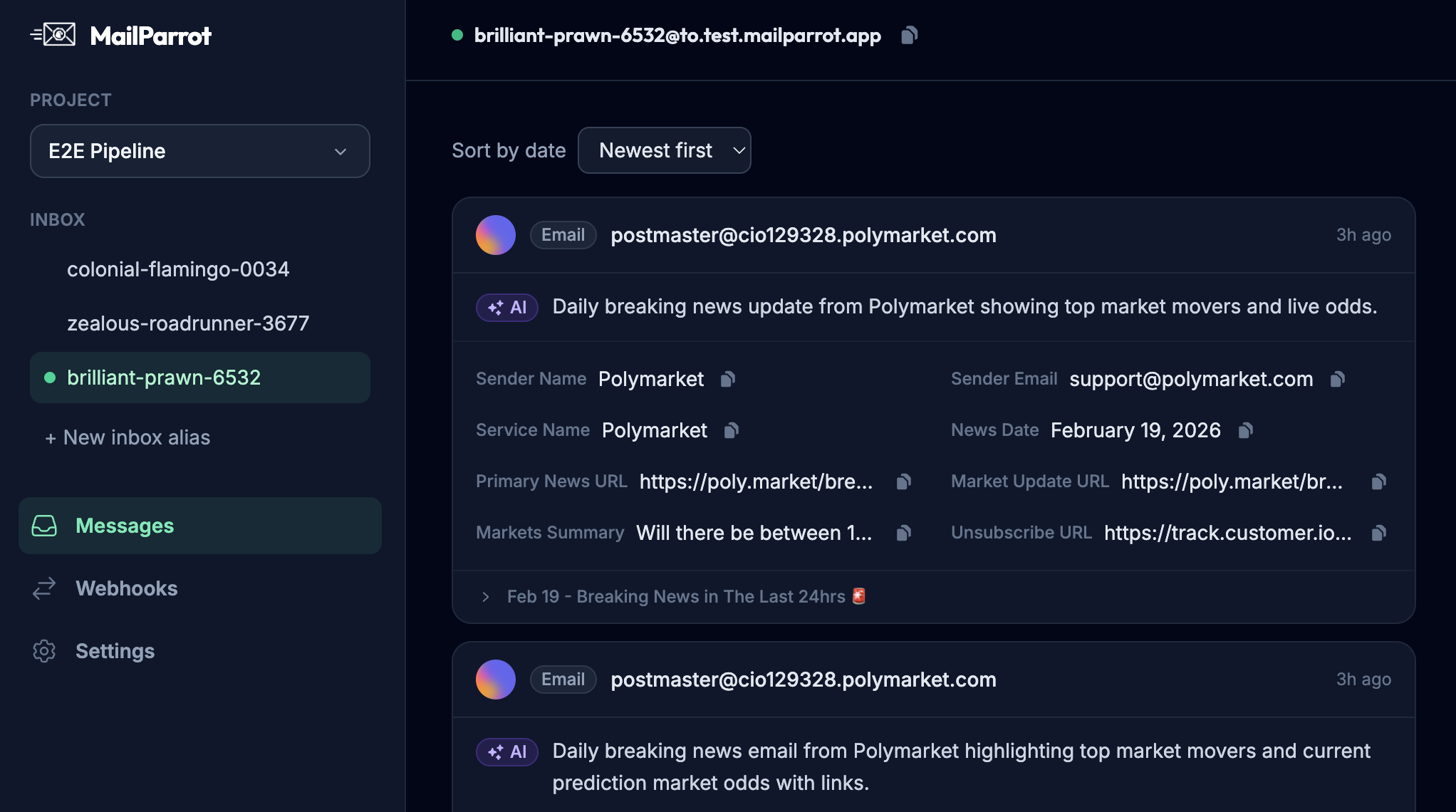
Providing Programmatic Inbox Access: Rather than manually checking emails, APIs let software fetch and verify messages instantly.
-
Structured Email Parsing: Instead of guessing where the OTP or verification link might live inside an email body, these platforms provide parsed, searchable content.
-
Webhook Support: Integrate real-time email reception notifications straight into your workflow, triggering test steps or account status changes immediately.
-
Expiry and Cleanup Built-In: No more inbox pile-ups or “stale” emails causing confusion during testing iterations.
-
Multiple Parallel Inboxes: Run hundreds of tests concurrently without inbox collisions or state confusion.
This approach lets your system treat email verification like a background, dependable automation-no surprises or flaky failures.
What Makes MailParrot Different in This Space?
In case you’re wondering, MailParrot offers a developer-centric API for disposable inboxes. We built it to solve these exact pain points:
-
Designed for CI/CD: Easy-to-use API calls to create, monitor, and destroy inboxes programmatically.
-
OTP Extraction out-of-the-box: No more wrestling with regex-extract codes with minimal fuss.
-
Webhook Integration: Receive emails pushed instantly to your services.
-
Developer-Friendly Pricing: Pay-as-you-go models without complicated tiers.
-
Privacy and Security: Each inbox is isolated; no shared data between users.
If you’re building or testing applications that rely on email sign-ups, trials, or auth flows, this type of tool should be on your radar.
How Can I Get Started with One-Time Inboxes Today?
Here’s a practical checklist if you want to start integrating disposable inboxes into your sign-up flows or testing processes:
-
Evaluate Use Cases: Identify where you need reliable email interactions-manual trials, automated tests, OTP flows, etc.
-
Choose a Service with an API: Avoid generic disposable email websites without APIs; developers need programmatic access.
-
Integrate into Tests or Onboarding: Connect the inbox creation and email fetching into your pipelines or signup verification flows.
-
Handle OTPs and Links Robustly: Use parsing features or existing libraries to extract verification data reliably.
-
Automate Cleanup: Destroy or expire inboxes after use to minimize resource usage.
-
Monitor and Debug: Use inbox message histories and metadata for easier troubleshooting.
By following this approach, you can boost productivity, improve security, and create a smoother user experience.
Final Thoughts: One-Time Inboxes Aren’t Just a "Nice to Have"
In today’s app ecosystem, email is part of almost every signup, onboarding, or verification workflow-yet it’s surprisingly hard to handle correctly. One-time inboxes bring sanity and reliability to both sides of the screen.
From protecting your privacy as an end-user to making your test suites less fragile and your release cycles faster as a developer, these tools deserve a place in your toolbox.
So next time you or your team wrestle with flaky email tests or dread inbox spam from trials, consider plugging in disposable inboxes. Your sanity-and your users-will thank you.
Ready to unblock your tests and pipelines?
1,000 free credits with every account-no card required. They don’t expire.
Get started for free