Keeping Staging and Production Email Flows Separate: Best Practices for Dev Teams
Kieran Goodary
Why should you keep staging and production email flows separate?
If you've ever accidentally sent test emails to real users from your staging environment, you already know why keeping staging and production email flows separate is important. It protects your users' inboxes from confusion or spammy test messages and ensures that your production email reputation remains intact.
Staging environments are for safely testing your software before it hits production. But emails sent during these tests can contain incomplete data, test credentials, or debugging information - things you never want to send to a real customer by mistake. That’s why having completely isolated email flows is not just good hygiene, it’s essential to maintaining user trust and a clean sending reputation.
What are the risks of mixing staging and production email flows?
Mixing email flows between staging and production environments can lead to several pitfalls:
-
Accidental sends to real users: Without clear boundaries, your staging environment might send password resets, sign-up confirmations, or promotional emails to actual users. This can confuse users or erode trust.
-
Email deliverability issues: Email providers associate bounce rates and spam complaints with your sending domain. Test emails bouncing or being marked as spam can damage your sender reputation and reduce deliverability for real users.
-
Data leakage: Emails from staging may include test data or debugging info. Sending these to real users is a privacy breach waiting to happen.
-
Difficulty in troubleshooting: If all emails look the same, it becomes harder to distinguish between issues happening in production and those arising in staging.
How do you effectively keep email flows separate?
There isn’t a one-size-fits-all solution, but a combination of technical and process controls can help.
Use separate sending domains or subdomains
Configure your staging environment to use a distinct email sending domain or subdomain. For example, if your production domain is example.com, your staging environment might use staging.example.com or test-example.com. This setup helps:
- Clearly separate email streams.
- Allow independent monitoring.
- Prevent staging emails from affecting your production sending reputation.
Ensure that all DNS records (SPF, DKIM, DMARC) for the staging domain are properly configured to avoid spam filtering issues.
Employ environment-specific email configurations
Use environment variables or config files to control email behavior based on the current environment (production, staging, development). For instance:
- Staging emails send through a different SMTP provider or API endpoint.
- Sending retries or email logging can be enabled or disabled depending on environment.
This reduces the chances of using production SMTP credentials accidentally in staging.
Use burnable or disposable inboxes during testing
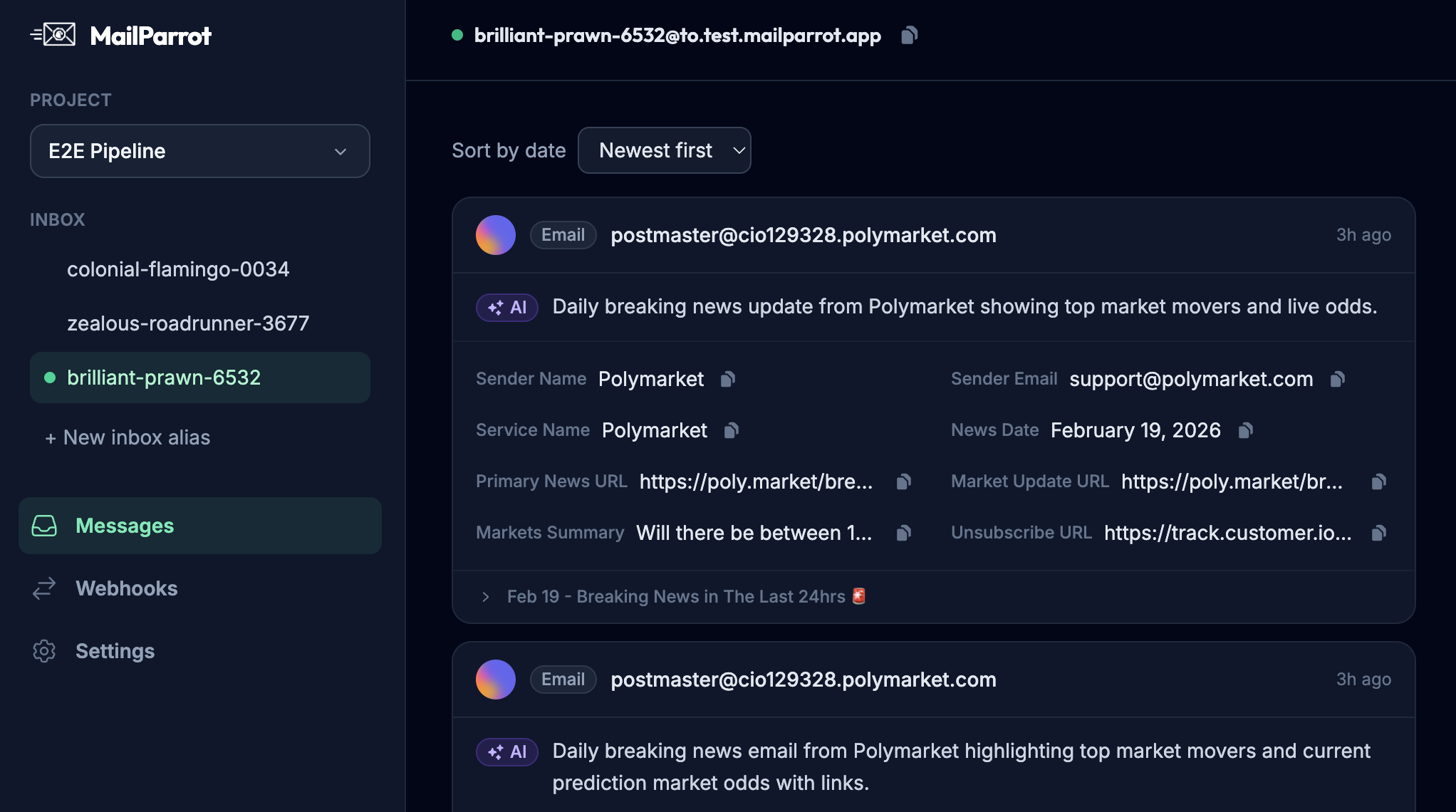
Instead of sending emails to real addresses, your staging environment can send emails to disposable inboxes created programmatically-like those offered by MailParrot or similar services. This lets your tests:
- Access email content via API without manual inbox checking.
- Extract OTPs or confirmation links reliably.
- Avoid cluttering any real mailbox.
Add recipient whitelisting and blacklisting
Restrict who can receive emails from staging. Only allow whitelisted addresses (often your QA or dev team) or block real users entirely. This is a quick safety net but may not scale well for all workflows.
Silent or mocked email flows for automated testing
When running automated tests (like CI/CD or end-to-end tests), it often makes sense not to send any emails externally at all. Instead:
- Mock email sending functions to return expected responses.
- Capture email content in logs or virtual inboxes.
This eliminates risk of unexpected real email delivery while still verifying email-related logic.
How does this separation impact authentication and OTP flows?
Authentication flows that rely on email verification or OTP (one-time password) are among the trickiest to test. Accidentally sending real OTPs to wrong addresses can lock users out or expose security issues. Keeping environments separate helps:
- Extract OTPs programmatically from disposable inbox APIs during tests.
- Prevent fallback emails from test accounts polluting real inboxes.
- Allow parallel testing of auth flows without conflicts or delays caused by real email delivery latency.
By using disposable inboxes and dedicated staging email domains, your testing pipeline can reliably simulate user scenarios without compromising real user experience.
Why is relying on shared Gmail accounts or brittle regex extraction painful?
Some teams use shared Gmail accounts for testing, forwarding test emails there. This approach is fragile for a few reasons:
- Shared inboxes can get cluttered and hard to manage.
- It’s prone to manual errors or missed emails.
- Gmail’s spam filters or UI changes can break workflows.
Regex extraction of OTPs and verification links inside emails is another headache. Email HTML can change, links may wrap or encode differently, and regex patterns break often. This causes flaky tests and developer frustration.
Using APIs like MailParrot’s disposable inbox with robust OTP extraction helps build stable, automatable email testing that doesn’t depend on brittle hacks.
How do staging-production email separation practices fit into CI/CD?
When email flows are properly isolated, you can integrate comprehensive email testing into your continuous integration and delivery pipelines:
- Programmatically create disposable inboxes at test start.
- Trigger user sign-up or password reset flows.
- Automatically fetch and validate emails and OTP codes via API.
- Tear down inboxes after test completion.
This reduces manual testing overhead and prevents accidental email leaks to production users during feature or regression tests.
What are some practical tips to make email verification boring and reliable?
Email verification should be so reliable that nobody thinks twice about it. To get there:
- Automate everything possible. No manual reading, copying, or guessing.
- Use APIs for inbox access, OTP extraction, and email parsing.
- Isolate test emails using separate domains or disposable inboxes.
- Monitor sending reputation and deliverability separately for staging vs production.
- Avoid shared inbox hacks or flaky regex patterns.
- Keep test email credentials and configurations in secure environment variables.
In essence, be boring with email verification, because reliability is way more impressive than fancy tricks.
Can you have it all without complicating your stack?
Yes. Modern disposable inbox APIs like MailParrot make it simple to spin up isolated inboxes within tests, extract OTPs via API, and hook into webhooks for real-time processing. These tools help avoid the complexity of managing separate SMTP servers or email domains yourself while giving developer-friendly, programmatic access to test emails.
By combining disposable inboxes with environment-specific configs and clear CI/CD processes, you get clean separation without a pile of infrastructure overhead.
Conclusion
Keeping staging and production email flows separate is essential to protect your users, maintain email reputation, and enable reliable, automated testing. Achieve this with distinct sending domains, disposable inboxes, recipient whitelisting, and smart CI/CD integration.
Avoid brittle hacks like shared Gmail accounts or regex OTP parsing. Instead, build boring, robust, programmatic email verification workflows that blend seamlessly into your testing pipelines.
Once your email flows are isolated and reliable, you can focus on building great features rather than fixing email bugs or worrying about accidentally spamming your users. That’s a win developer teams can celebrate.
If you want to dive deeper into practical disposable inbox testing, check out MailParrot’s API documentation for programmatic inbox creation, OTP extraction, and webhook integrations.
Happy coding, and may your emails always land exactly where they’re supposed to.
Ready to unblock your tests and pipelines?
1,000 free credits with every account-no card required. They don’t expire.
Get started for free