Why CI/CD Pipelines Need Dedicated Test Inboxes
Kieran Goodary
Why should you even care about test inboxes in your CI/CD pipeline?
If you’re a developer or part of an engineering team that builds software with email workflows-think account sign-ups, password resets, or OTP authentication-chances are you’ve run into the pain of flaky tests related to emails. Emails don’t just happen automatically; they get sent, received, parsed, and then verified. In a continuous integration and continuous deployment (CI/CD) pipeline, that sequence needs to be as bulletproof as possible.
Enter dedicated test inboxes-purpose-built, burnable, disposable inboxes designed specifically for automated email testing. They’re not just a fancy add-on; they are crucial infrastructure that can save your sanity (and your build times).
Can’t I just use a shared Gmail or a regular email account for testing?
Sure, you can. But you probably shouldn’t.
Shared Gmail accounts or personal email addresses pose several problems in a fast-moving CI/CD environment:
- Test contamination: Multiple tests or developers hitting the same inbox cause emails to pile up. Tests can accidentally verify wrong emails or miss new ones.
- Rate limits and throttling: Gmail (and most public email services) have strict limits on how many emails you can receive, send, or fetch via APIs per day. This clogs pipelines quickly.
- Manual clean-up: Someone has to constantly clean the inbox, which introduces toil and potential human error.
- Fragile parsing: Most teams try to extract OTP codes or verification links using brittle regex on raw email bodies. This breaks when your email template updates and leads to unreliable tests.
By sticking to shared email accounts, you turn your CI/CD pipeline into an occasional lottery of flaky: "Did the OTP email really arrive? Or did that test fail because it read the wrong message?"
How do dedicated test inboxes improve email testing reliability?
Dedicated test inboxes are designed to be transient, isolated, and programmatically accessible. Here's how they improve CI/CD email workflows:
- Isolation: Every test or pipeline run gets a unique inbox or namespace. No interference, no races.
- Automatic cleanup: Emails expire or get deleted automatically after a short period. No manual maintenance.
- API-first access: Fetch emails, attachments, and metadata programmatically through REST APIs or webhooks. No more manual inbox logging in.
- Structured email data: Instead of parsing raw email bodies with regex, you get parsed fields such as subject, sender, recipient, and even OTP codes extracted cleanly.
This all means your tests become deterministic. If an authentication OTP is sent, you get it reliably, extract it correctly, and move on.
What about extracting OTPs and verification links? Can regular inboxes do that well?
If regex was a craft, using it to extract OTP codes or links from random HTML emails would be a black art at best.
Regular inboxes don’t provide much help beyond yielding raw email contents. The burden is on your tests or parsing scripts to figure out where in the email the OTP or link lives. When your email templates change (and they will), your regex break, and your tests fail for the wrong reasons.
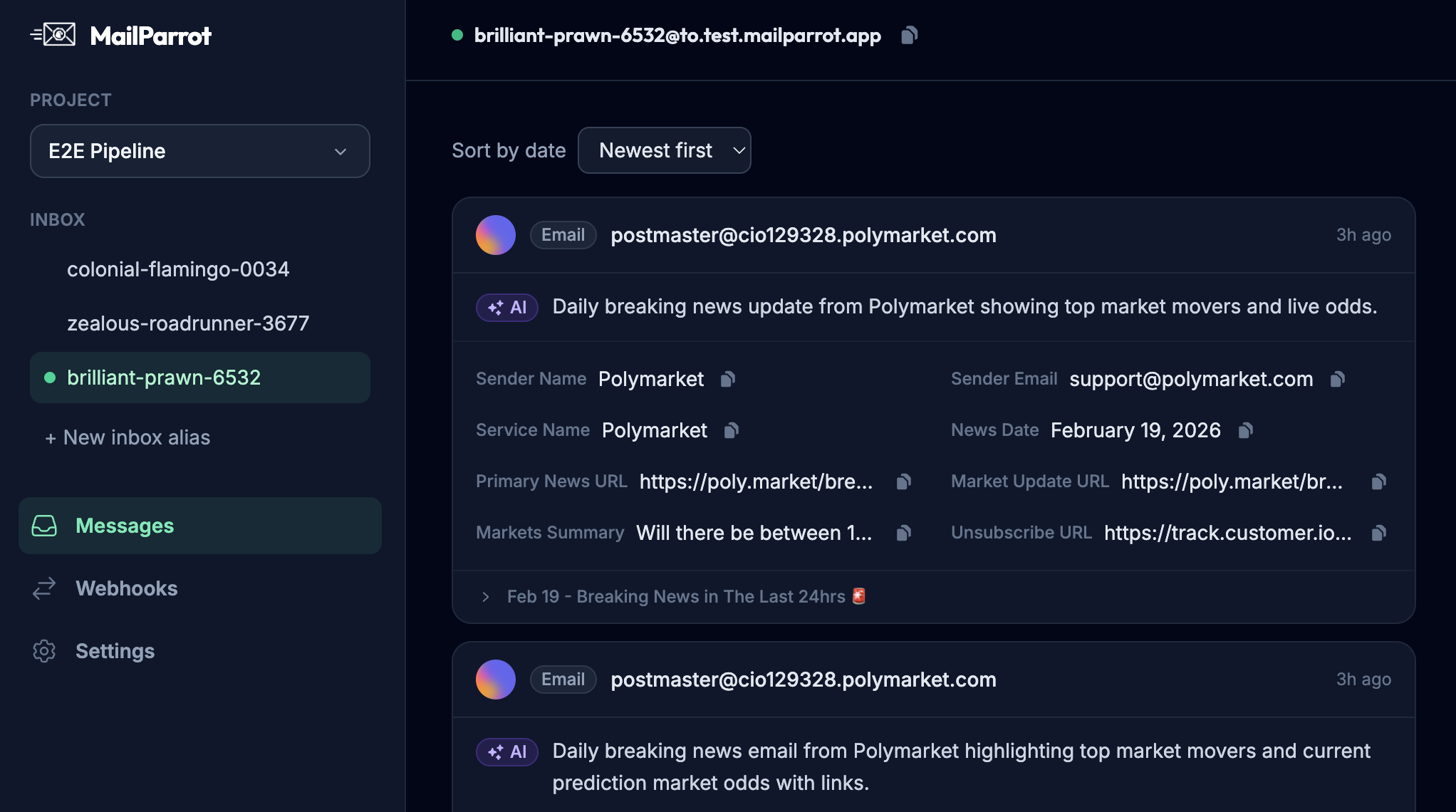
Dedicated test inbox APIs often come with built-in OTP extraction or allow your tests to subscribe to webhooks that give you parsed email content as JSON events. This means no brittle regex and no guesswork: you get exactly what you need, reliably.
How do dedicated test inboxes facilitate end-to-end and integration testing?
If your system sends emails based on user actions-such as sign-up confirmation, password resets, or purchasing workflows-you want to verify not just that the emails exist but that the flow works end-to-end.
Dedicated test inboxes enable you to:
- Simulate real user behavior: Sign up or trigger workflows with unique test emails and fetch responses programmatically.
- Automate email-based flows: Automatically extract confirmation links or codes to continue tests without human intervention.
- Run parallel tests: Because each test gets its own inbox or alias, tests can run concurrently without stepping on each other.
Without dedicated inboxes, end-to-end testing either requires brittle hacks or manual steps that defeat the purpose of automated pipelines.
How do dedicated test inboxes integrate with CI/CD systems and automation?
Most modern test inbox services provide Webhook and REST API integrations that work seamlessly with CI/CD tools like Jenkins, GitHub Actions, GitLab CI, or CircleCI.
Process looks like this:
- The test pipeline requests a unique disposable test inbox from the API.
- The application under test sends emails to that inbox.
- The testing framework waits on incoming emails by polling the inbox API or receiving webhook notifications.
- Messages arrive parsed and ready, letting the test extract OTP, links, or verify email content.
- The test asserts on the email content and continues.
- After the pipeline completes, the disposable inbox either expires automatically or gets cleaned up.
This flow eliminates flakiness and manual steps, making email verification just another boring, reliable piece of your expanding automation puzzle.
Aren’t disposable inboxes just for developers and QA teams?
Not at all.
While the engineering benefits are clear, disposable inboxes also provide real value for everyday users concerned about privacy or sign-up experience:
- Privacy protection: Use disposable emails to avoid spam or data harvesting on untrusted sites.
- Trial management: Sign up for free trials without clogging your main inbox.
- No persistent inbox clean-up: Forget about junk mail buildup.
So, dedicated test inbox tools straddle that line nicely: they’re useful for products’ internal testing and have features or models that improve user privacy and convenience.
Why not just build your own test inbox system?
Fair question-and one that’s tempting for many engineering teams.
Building your own test inbox service takes serious time and expertise:
- Email server setup and maintenance: Spam filters, delivery reliability, reverse DNS, SPF/DKIM/DMARC configuration.
- APIs or webhooks for fetching emails programmatically.
- Parsing email content reliably, including extracting OTP tokens or links.
- Security and data privacy standards.
All this adds complexity and maintenance overhead. For teams focused on shipping product features, this is a time sink mostly unrelated to core business value.
Third-party disposable inbox APIs are mature, battle-tested, often multi-tenant, and save you from reinventing wheels while providing consistency.
How do dedicated test inboxes make email verification more boring-and why is that a good thing?
“Boring” in software means predictable, consistent, and reliable.
You want your CI/CD pipeline to treat email verification as a solved problem. When email flows become just another checkmark in your pipeline rather than a source of flaky failures, you:
- Spend less time debugging tests that perhaps failed because they couldn’t find the right email.
- Have more confidence in your releases and can catch real regressions faster.
- Enable developers to focus on actual product issues instead of babysitting flaky email parsing.
In other words, making email verification boring means removing surprise failure modes.
What features should you look for when choosing a test inbox service?
If you’re convinced that dedicated test inboxes are critical, here are the must-haves:
- Disposable or burnable inboxes: Unique inbox availability per test or session.
- API-first approach: Ability to create, monitor, fetch emails via REST or GraphQL APIs.
- Webhook support: Real-time email event notifications.
- OTP and link extraction: Built-in or easy extensibility to parse and extract relevant tokens.
- Automated cleanup: Inboxes expire without intervention.
- Reliability at scale: Handle parallel tests or multiple pipelines.
- Security and privacy: Data protection, compliance where needed.
Bonus points if the service integrates nicely with common CI/CD tools and has good documentation.
How quickly can you onboard dedicated test inboxes into your pipeline?
The technical onboarding tends to be straightforward:
- Sign up for a service.
- Replace your current email addresses in test fixtures with disposable inbox addresses generated via API.
- Swap out flaky regex parsers with structured email parsing logic.
- Hook webhooks or polling into your test runner.
For well-engineered inbox APIs, this can go from concept to running tests in a matter of hours. The productivity and confidence gains often pay off within the first few pipeline runs.
In summary: Dedicated test inboxes are a no-brainer for reliable and maintainable CI/CD pipelines that involve email workflows. They eliminate a significant source of flaky automated tests, reduce manual overhead, remove reliance on shared or personal emails, and make OTP extraction painless. They bring the "boring reliability" that every developer dreams about in testing.
Because while your users will never say, "Thanks for making my email confirmation boring," your CI/CD pipeline (and engineering team) will thank you plenty.
Ready to unblock your tests and pipelines?
1,000 free credits with every account-no card required. They don’t expire.
Get started for free